> ## Documentation Index
> Fetch the complete documentation index at: https://docs.upstackdata.com/llms.txt
> Use this file to discover all available pages before exploring further.

# How do I identify my billing method?

> Determine whether your Upstack Data account is on Stripe direct billing or Shopify billing by checking your billing settings.

Upstack Data uses two billing methods. The steps you follow for actions like canceling depend on which one you're on.

<Steps>
  <Step title="Open your billing settings">
    Log in to your [Upstack Data dashboard](https://app.upstackdata.com/), then go to **Settings → Billing**.
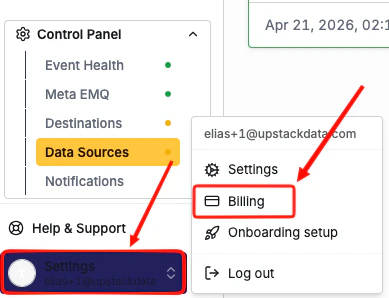
    <img src="https://mintcdn.com/upstackdata-afbed50d/uKeYoIgKoqdkvfF5/images/intercom/cancel-subscription-settings-billing.png?fit=max&auto=format&n=uKeYoIgKoqdkvfF5&q=85&s=86cb32782f9a11479080378cd70733e0" alt="Upstack Data dashboard Settings, Billing page" style={{ width:"64%" }} width="389" height="298" data-path="images/intercom/cancel-subscription-settings-billing.png" />
  </Step>

  <Step title="Review what you see">
    If you see a red **Cancel** button, you're on Stripe (direct) billing.
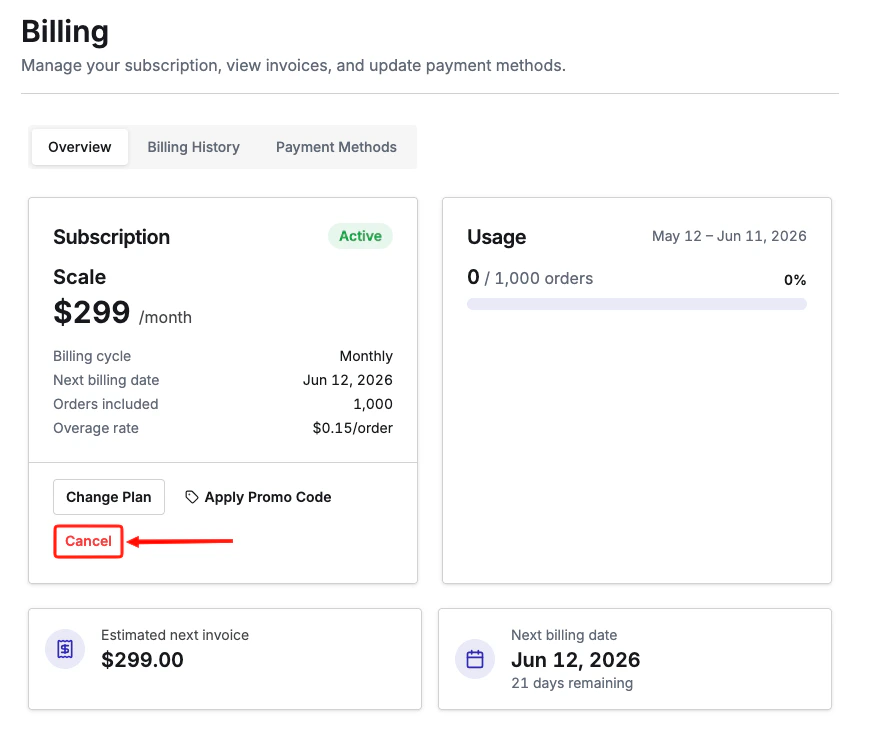
    <img src="https://mintcdn.com/upstackdata-afbed50d/uKeYoIgKoqdkvfF5/images/intercom/cancel-subscription-stripe-cancel-button.png?fit=max&auto=format&n=uKeYoIgKoqdkvfF5&q=85&s=3f77d8e11faaa4e202abfd8cf31926f4" alt="Red Cancel button shown for Stripe direct billing" style={{ width:"69%" }} width="869" height="732" data-path="images/intercom/cancel-subscription-stripe-cancel-button.png" />

    If you only see plan options and no cancel link, you're on Shopify billing.
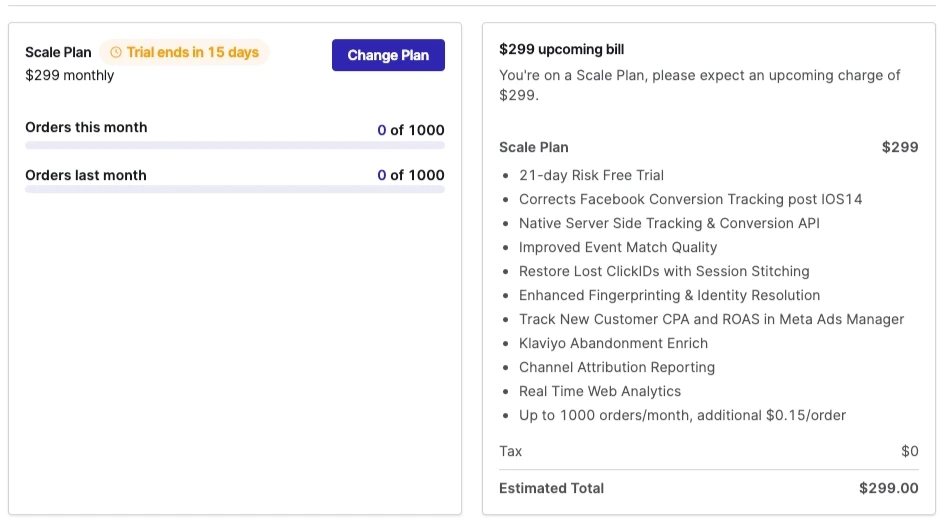
    <img src="https://mintcdn.com/upstackdata-afbed50d/uKeYoIgKoqdkvfF5/images/intercom/cancel-subscription-shopify-plan-options.png?fit=max&auto=format&n=uKeYoIgKoqdkvfF5&q=85&s=7f2fcba16846a6d33b4b1a5674d8f2c6" alt="Billing page showing only plan options, indicating Shopify billing" style={{ width:"78%" }} width="952" height="525" data-path="images/intercom/cancel-subscription-shopify-plan-options.png" />
  </Step>
</Steps>

***

## Related Articles

<CardGroup cols={2}>
  <Card title="Cancel Your Subscription" href="/billing/how-do-i-cancel-my-subscription" />

  <Card title="Update Payment Method" href="/billing/how-do-i-update-my-payment-method" />

  <Card title="View Past Invoices" href="/billing/how-do-i-view-my-past-invoices" />

  <Card title="Billing FAQ" href="/billing/subscriptions-and-billing" />
</CardGroup>
