Key points to remember
When configuring the Upstack Data Custom Pixel in Shopify, there are several options which allow for configuring consent mode. These different settings can have a material impact on your tracking, data quality and attribution. If you are running cookie consent banners, ensuring they are properly configured will ensure the most accurate data. If Permission: Required is set, the Custom Pixel will not load or track user behavior until the consent banner is accepted.Privacy Regulations vary by jurisdiction. This does not constitute legal advice. We recommend you consult your legal representative to determine which settings are appropriate for your business.
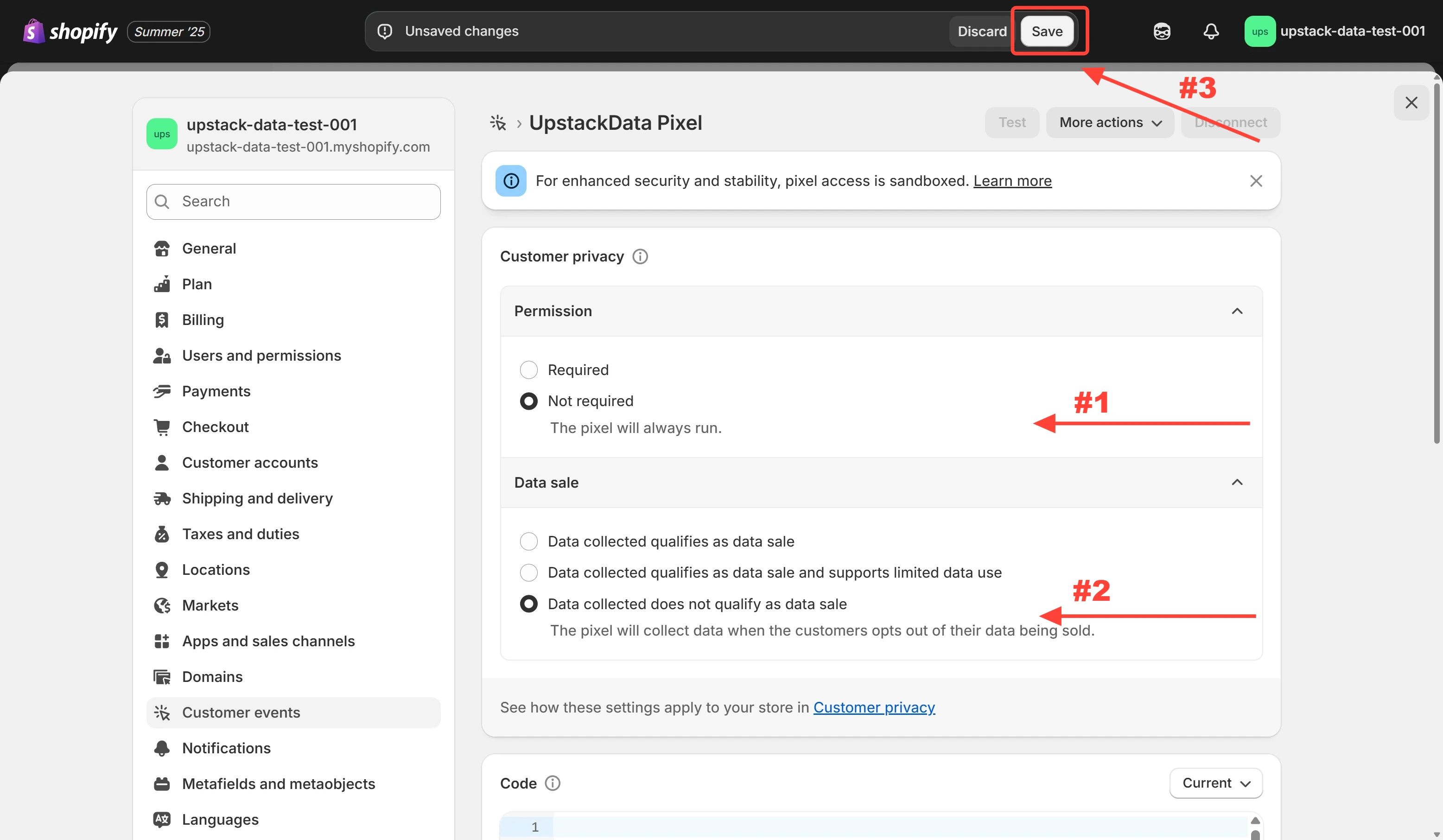
Configure privacy settings
-
For maximum attribution and data quality, you can select the following settings
- Permission: Not required
- Data sale: Data collected does not qualify as data sale
- Click Save to update the Upstack Data Pixel privacy settings