Step 1: Identify your billing method
Upstack Data uses two billing methods. The cancellation steps depend on which one you’re on.1
Open your billing settings
Log in to your Upstack Data dashboard, then go to Settings → Billing.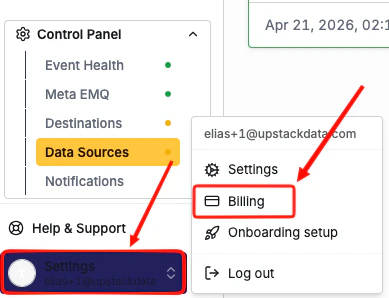
2
Review what you see
If you see a red Cancel button, you’re on Stripe (direct) billing. Click Cancel and confirm when prompted. Once this is done, your subscription is canceled.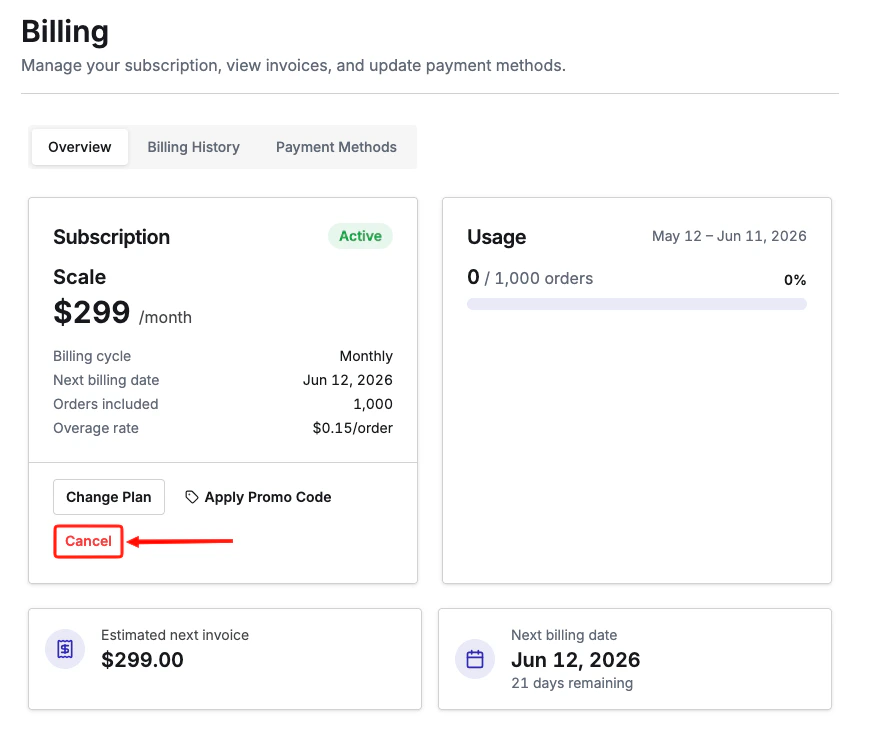
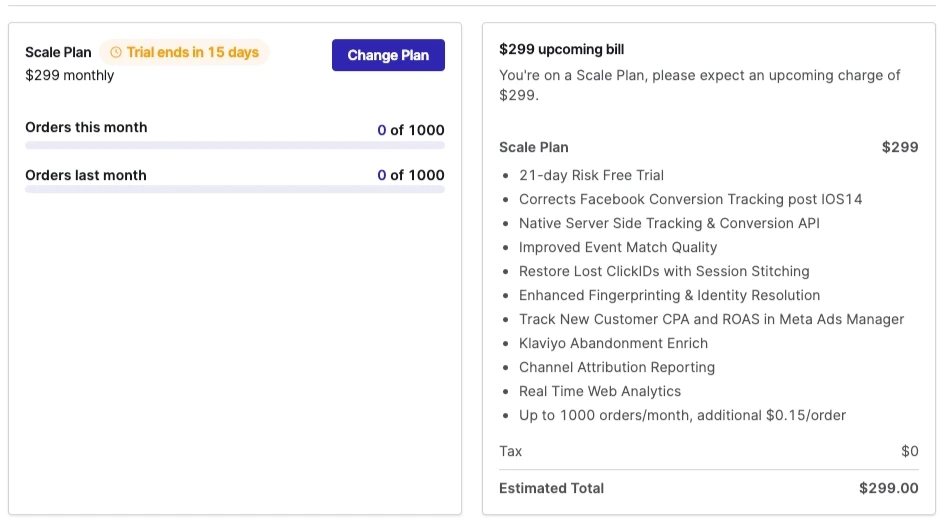
Step 2: Cancel your subscription on Shopify billing
If you’re billed through Shopify, uninstalling the app cancels your subscription.1
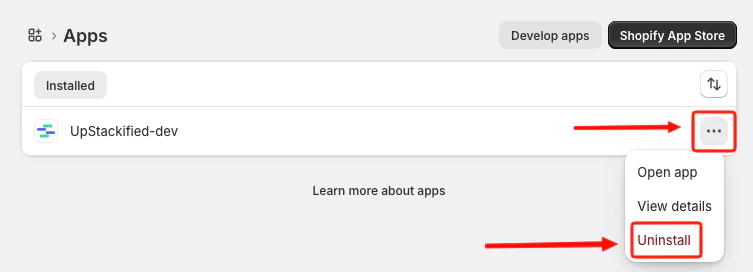
Open your Shopify apps
Log in to your Shopify admin, then go to Settings → Apps.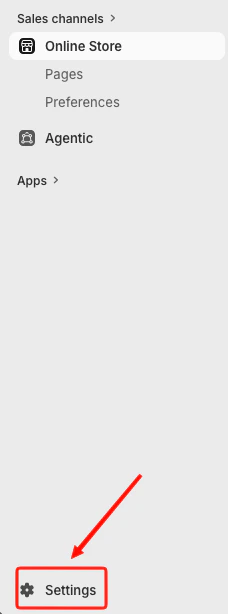
2
Find Upstack Data
Find Upstack Data in the list of installed apps.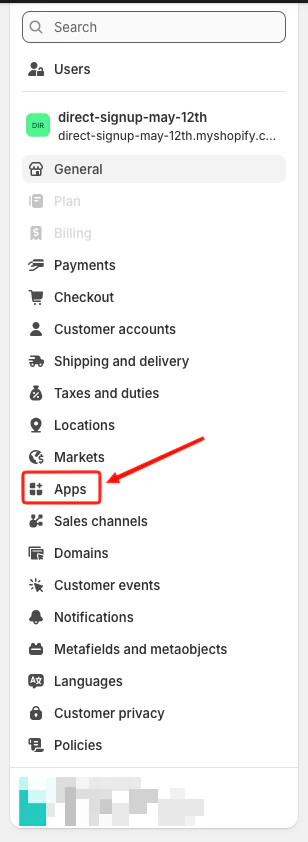
3
Uninstall the app
Click the three-dot menu next to the app name, click Uninstall, and confirm when prompted.