

If you’re on Stripe billing
1
Open your billing settings
Log in to your Upstack Data account, then go to Settings → Billing.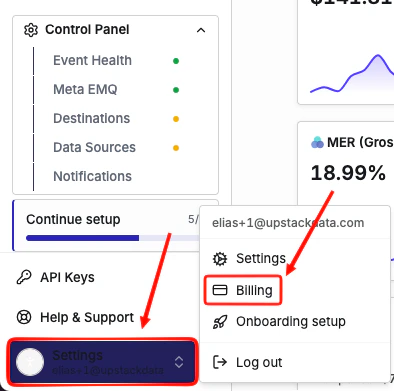
2
Open Payment Methods
Click Payment Methods.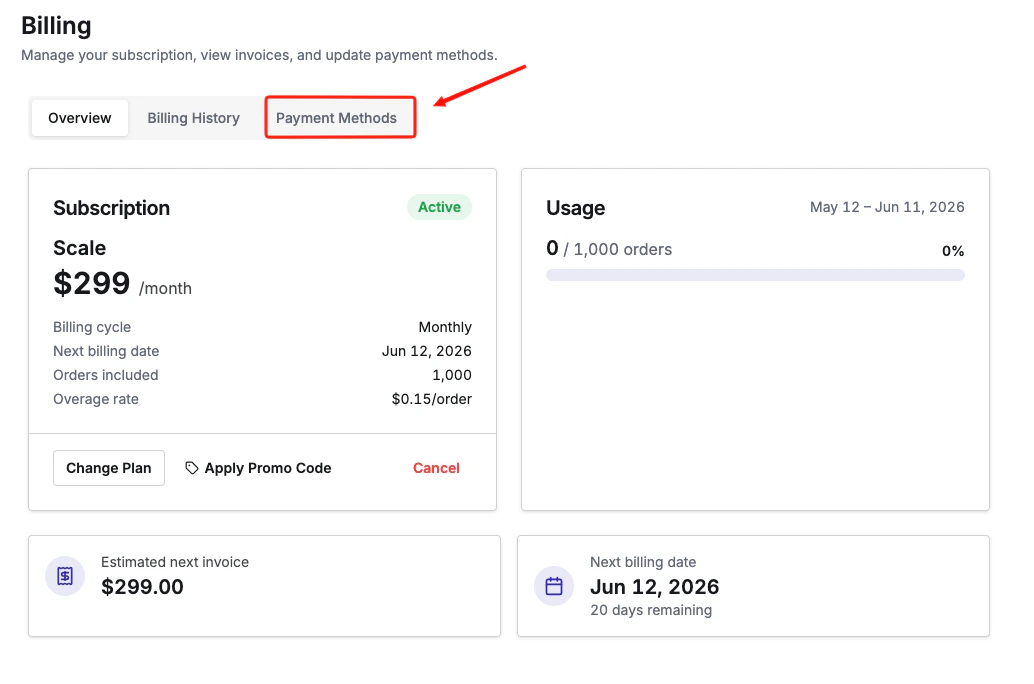
3
Add your new card
Click Add Payment Method and enter your new card details.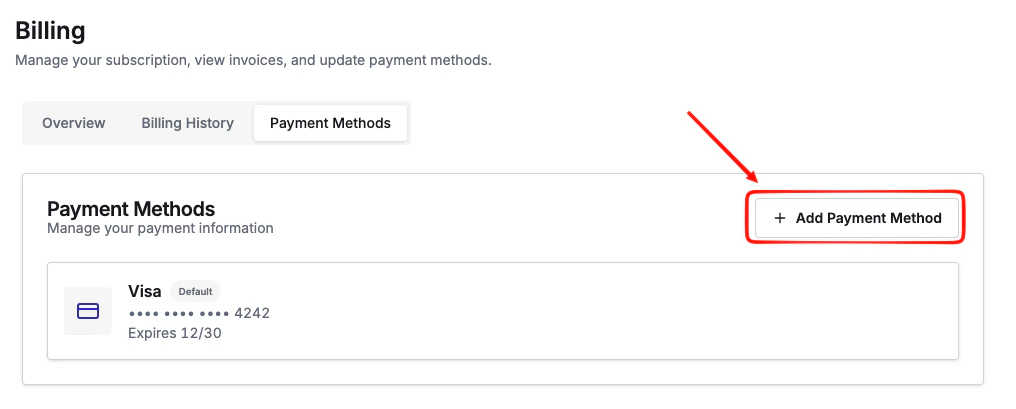
4
Set a default (optional)
To use the new payment method as default, click the three dots next to the payment method you want as default, then select Set as default.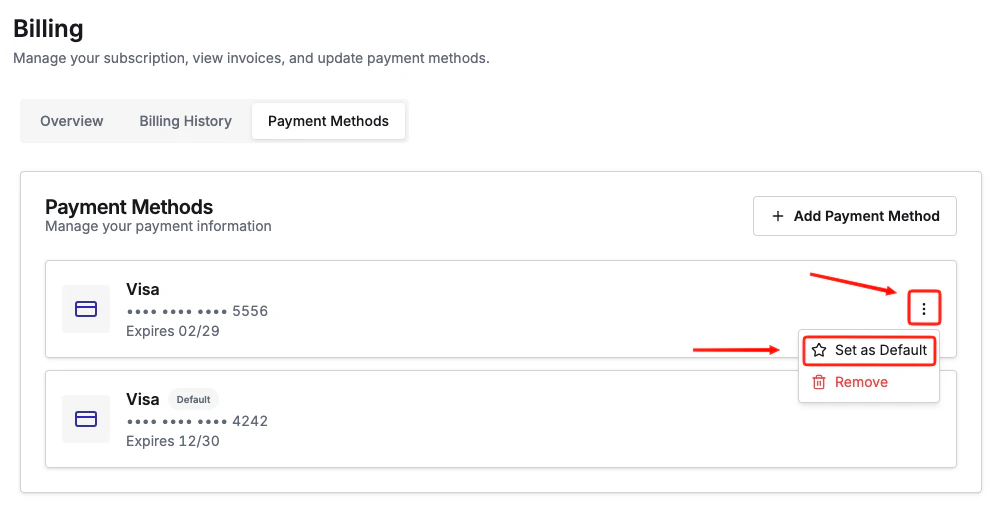
If you’re on Shopify billing
Shopify manages payment methods for apps billed through the Shopify App Store. To update your card:- Log in to your Shopify admin.
- Go to Settings → Billing.
- Update your payment method there.
Not sure which billing type you’re on?Log in to your Upstack Data dashboard and go to the Billing page. If you see your card details and invoices listed directly, you’re on Stripe billing. If the billing page does not display a payment method, your charges are handled through Shopify.