

Which custom events does this work for?
This works for any custom event Upstack sends to Meta, such asapparel_purchase or high_aov_purchase.
For new customer purchases, use How to Create and Share NC Purchase Custom Conversion in Facebook (Meta).
How do I create a custom conversion from a custom event?
You need Business Manager admin access, not just ad account admin access.- Sign in to Meta Events Manager and open your pixel.
-
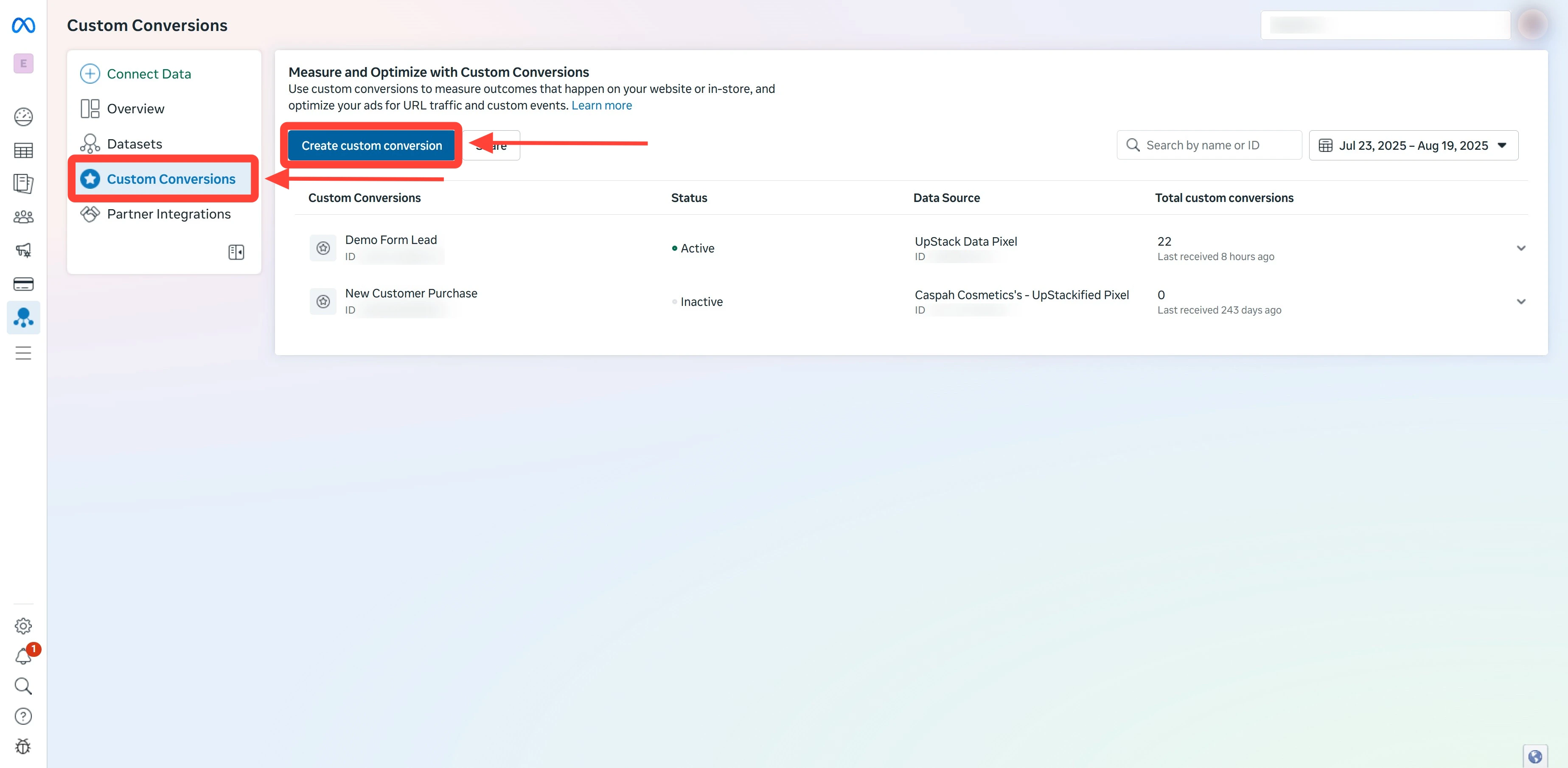
In the left-hand menu, click Custom Conversions, then click Create custom conversion.
-
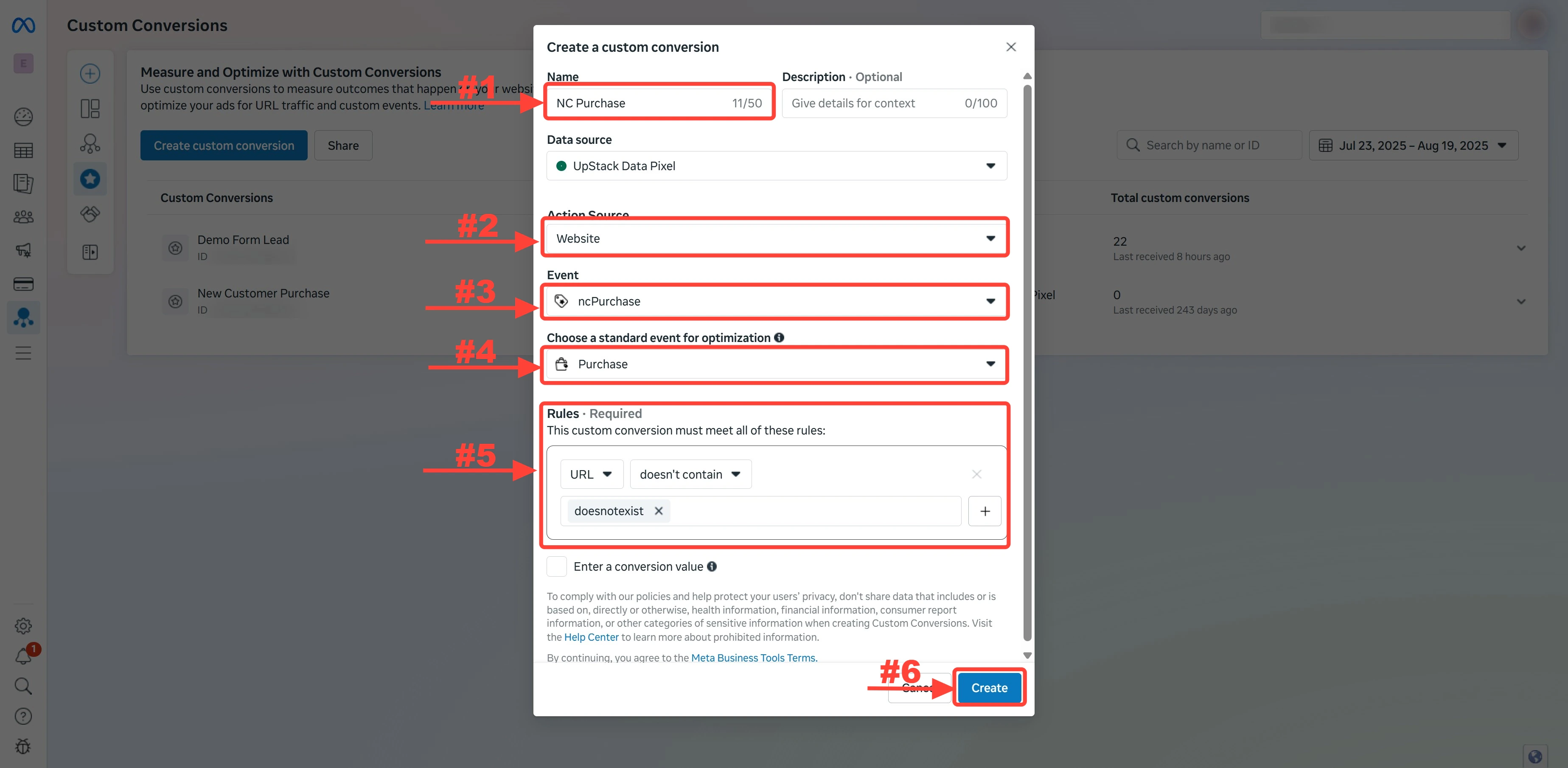
In Name, enter a clear name, such as
Apparel Purchase. -
In Event, select your custom event, such as
apparel_purchase. - In Choose a standard event for optimization, select Purchase.
-
Under Rules, choose URL, then doesn’t contain, and type
doesnotexist. - Press Enter until the value becomes a light-grey tag.
-
Click Create.
- If your event isn’t in the Event list, see Why is my custom event missing from the Event list?
Why do I add a doesnotexist URL rule?
No URL on your store containsdoesnotexist, so the rule matches every page. The custom conversion then counts the event across your whole site.
Why is my custom event missing from the Event list?
Meta hasn’t received the event yet, or the event still needs approval.- Place a test order that matches the event’s conditions.
- In Meta Events Manager, open your pixel and find the event on the Overview tab.
- If the event shows a red triangle, approve it.
How do I share a custom conversion with my ad accounts?
- On the Custom Conversions page, click the menu on the right of your conversion’s row, then click Share.
- Click Share with an Ad Account.
- Check every ad account that needs the conversion.
- Click Share Custom Conversion.
How do I check that my custom conversion works?
- On the Custom Conversions page, check that the conversion shows Active with no warning icon.
- Open a shared ad account in Ads Manager.
- Check that the conversion appears when you pick a conversion event for a campaign.