

Prerequisites
Before you start, you need:- Admin access to a Klaviyo account (required to create Private API keys)
- Permission to grant Full Access to API keys
Steps to Generate the Klaviyo Private API key
1
Sign in to Klaviyo
Sign in to Klaviyo.
2
Open the API Keys settings
- Click your profile icon in the bottom-left navigation.
-
Go to Settings → Account → API Keys.
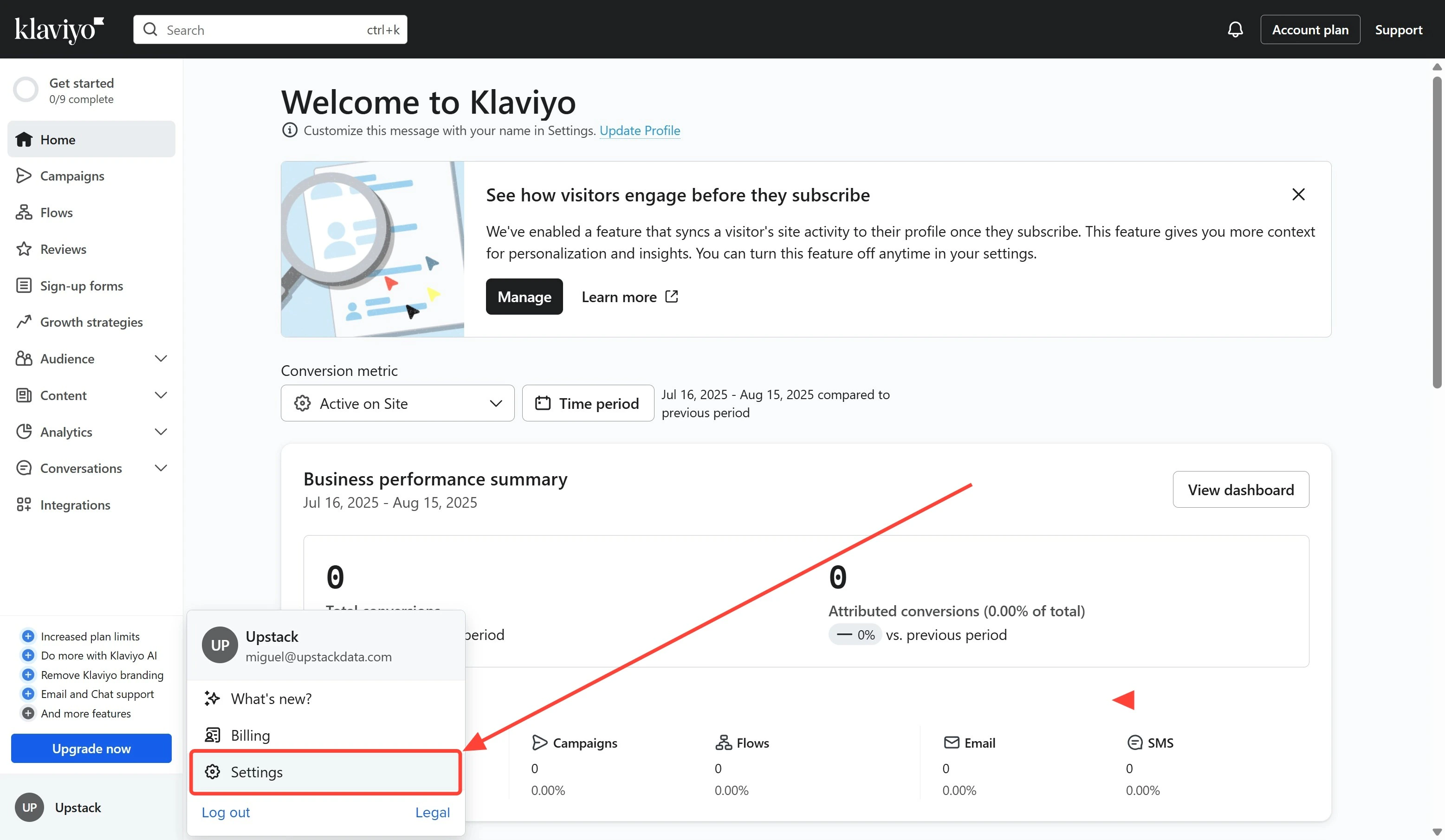
Settings menu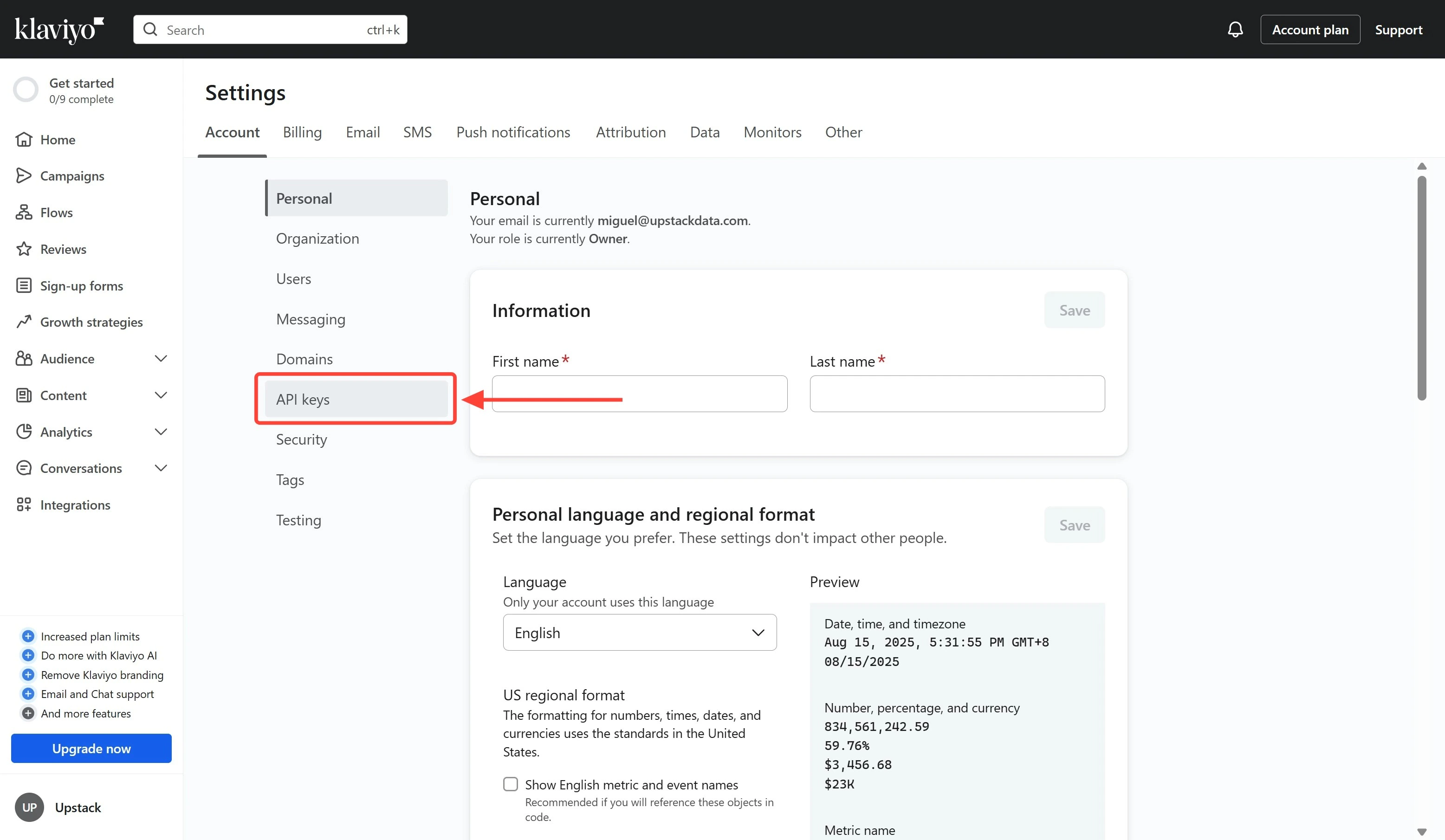
API keys menu3
Create a new Private API key
Click the Create Private API Key button.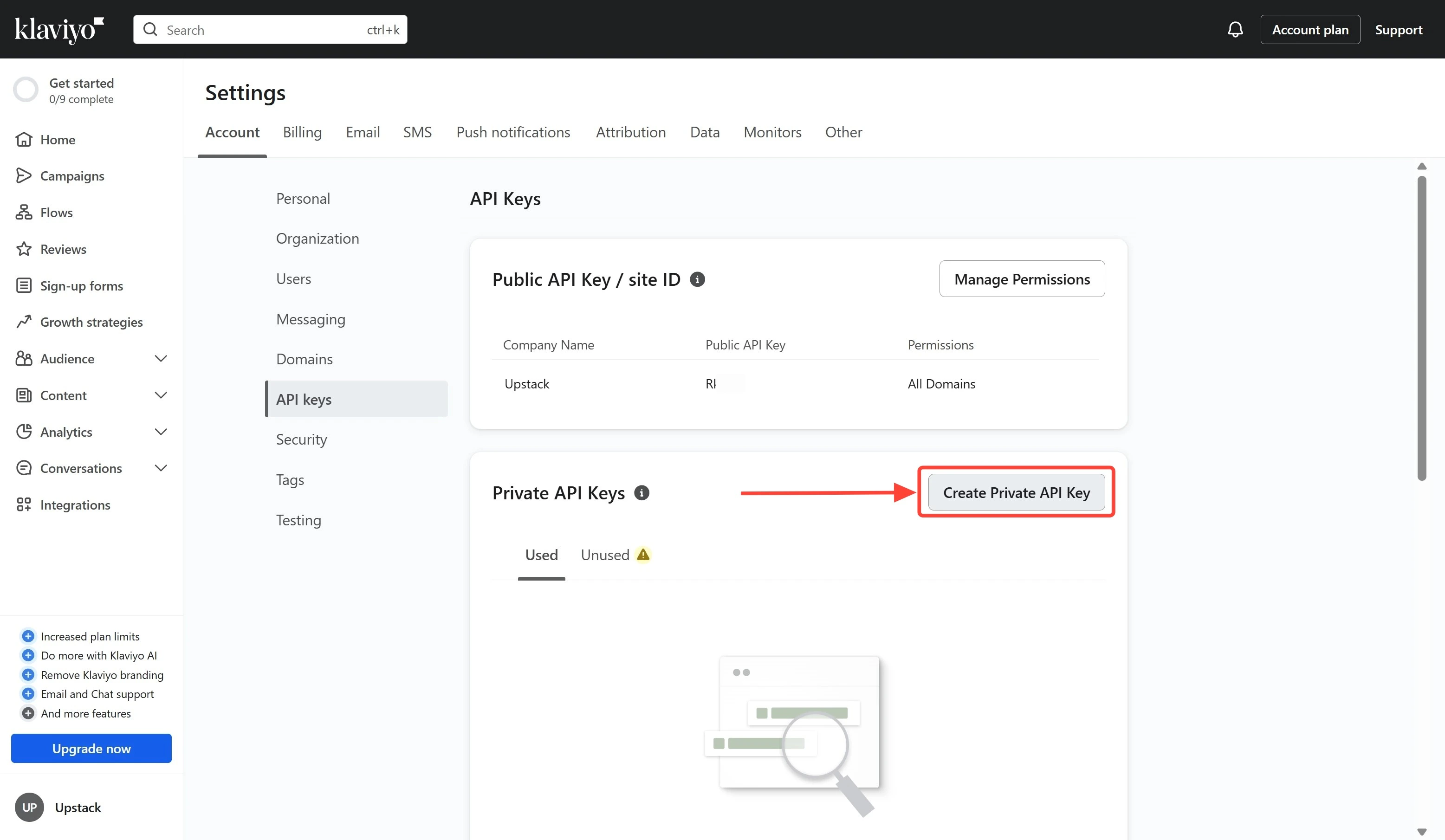
4
Configure key name and access level
-
Name your Klaviyo Private API key
UpstackData. - Under Select Access Level, choose Full Access Key.
-
Click the Create button.
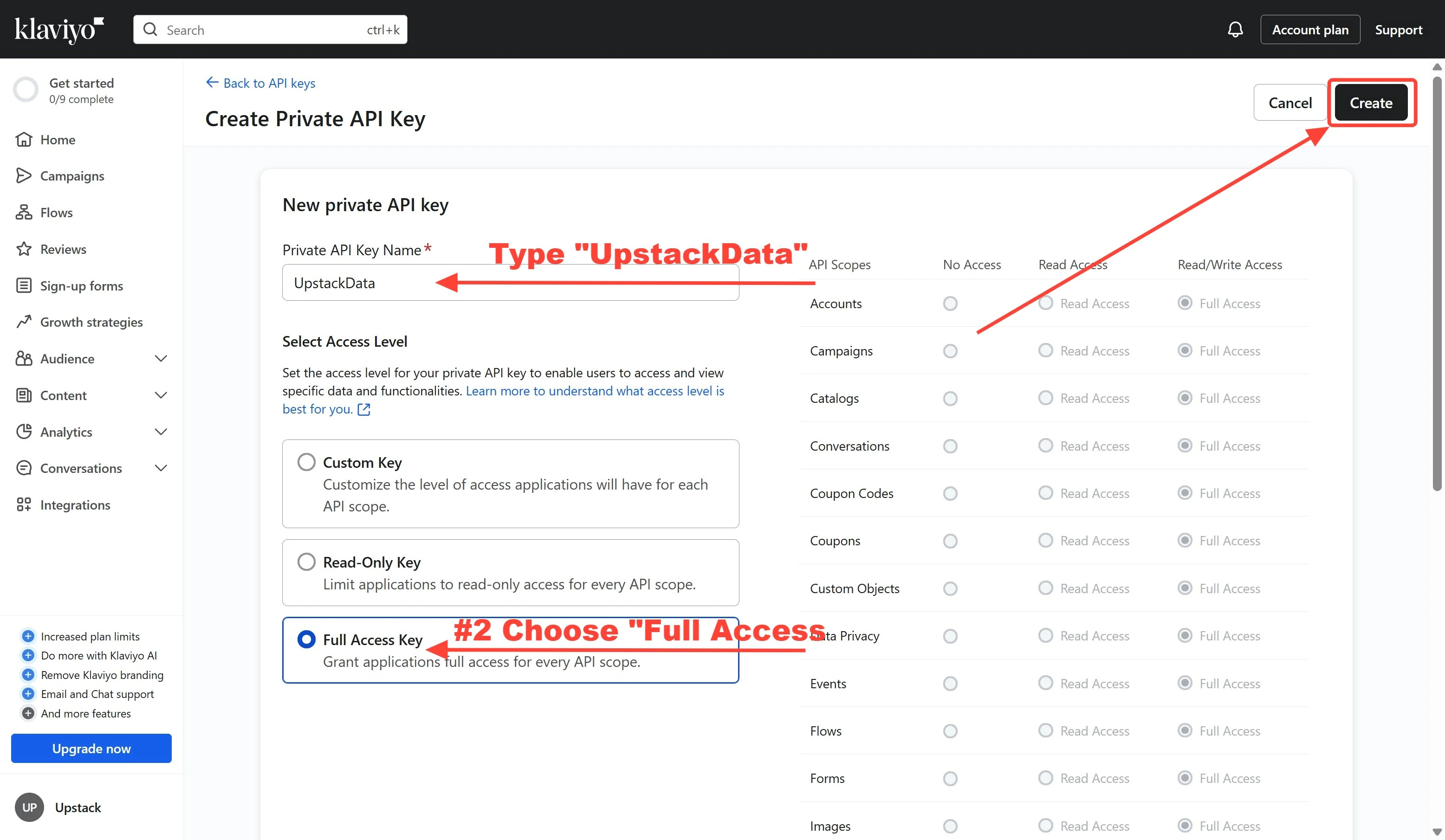
5
Copy and save your Klaviyo Private API key
Copy the generated key immediately. It starts with 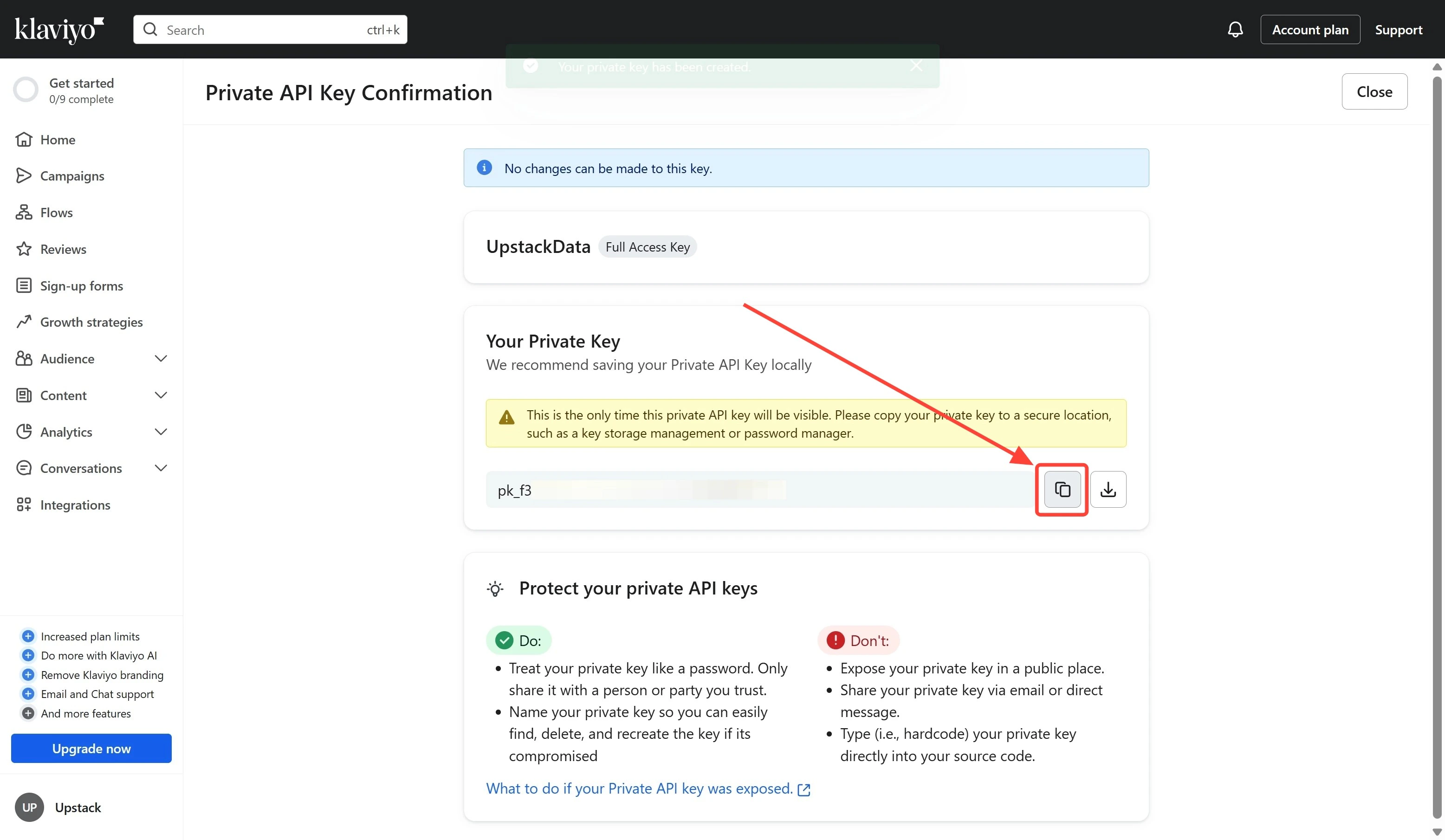
pk_ followed by alphanumeric characters (for example, pk_aBcDeFgHiJkLmNoPqRsTuVwXyZ012345678).6
Verify the key was created
- Return to Settings → Account → API Keys in Klaviyo.
- Confirm the new
UpstackDatakey appears in the list with Full Access permissions. - Continue to How to configure the Klaviyo destination in Upstack Data to paste the key into the Upstack dashboard.