

Why event approval is required
Custom events showing the ⚠️ red triangle warning in Meta Events Manager must be approved (acknowledged and confirmed) before Meta will use them for ad delivery optimization or campaign targeting.
Prerequisites
Before you start, you need:- Access to the same Meta Business Manager that owns the pixel firing the custom event
- Editor or admin permissions on the pixel/dataset in Meta Events Manager
- At least one fired instance of the custom event (so it appears in the events list)
Step-by-step instructions
1
Sign in to Meta Events Manager
Sign in to Meta Events Manager at business.facebook.com/events_manager2 and select the pixel containing the custom event.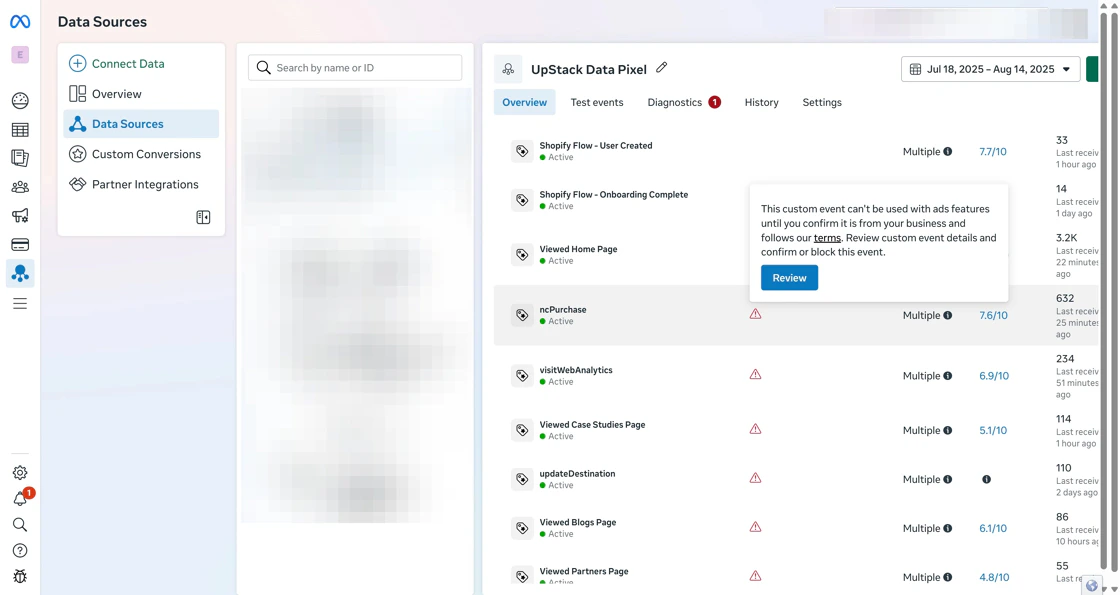
2
Open the custom event for review
On the pixel Overview tab, locate the custom event with the ⚠️ warning. Click either: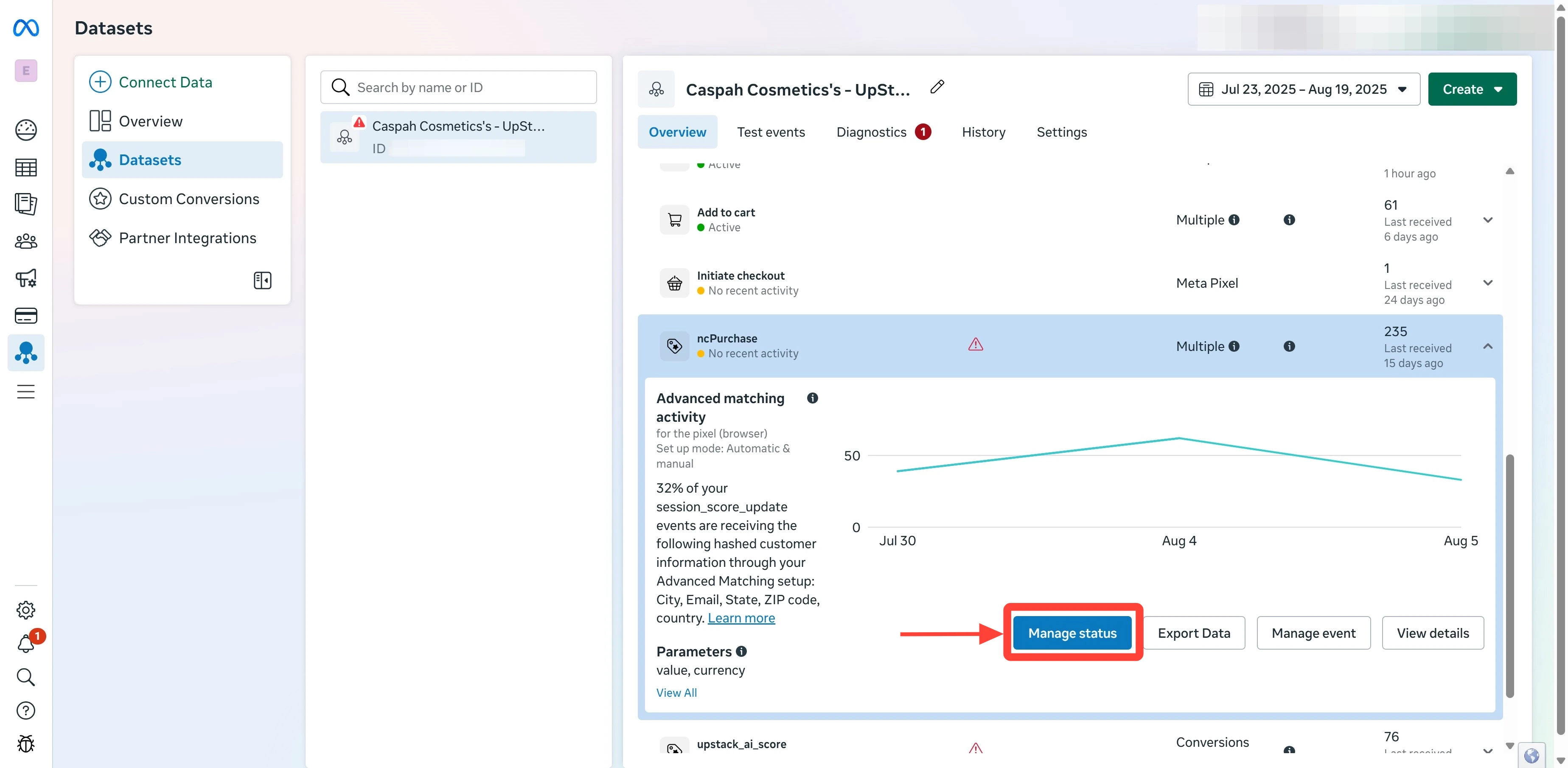
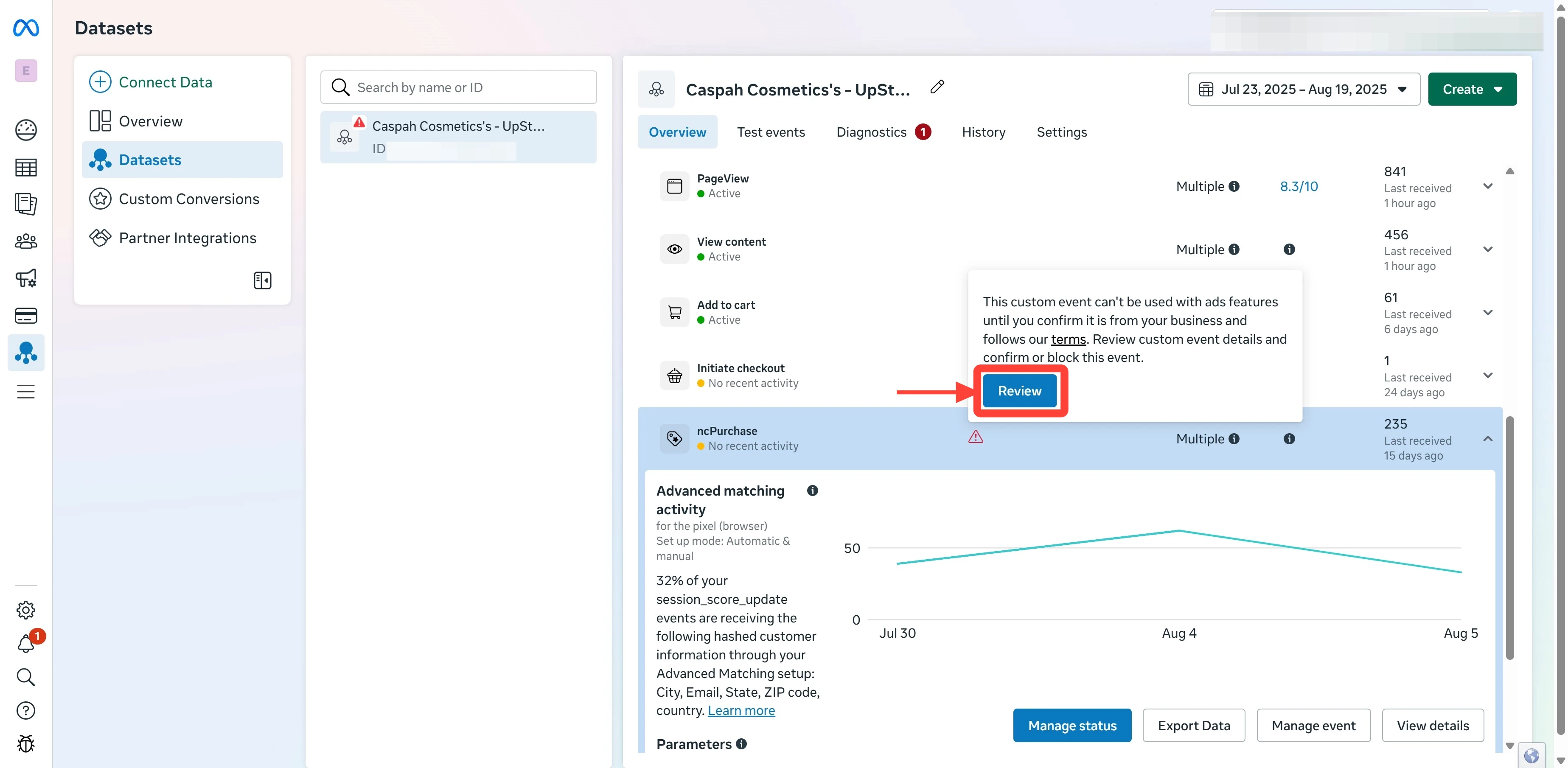
- The name of the custom event, or
- The red triangle ⚠️ warning icon next to it
3
Acknowledge the event
In the review dialog, click I acknowledge.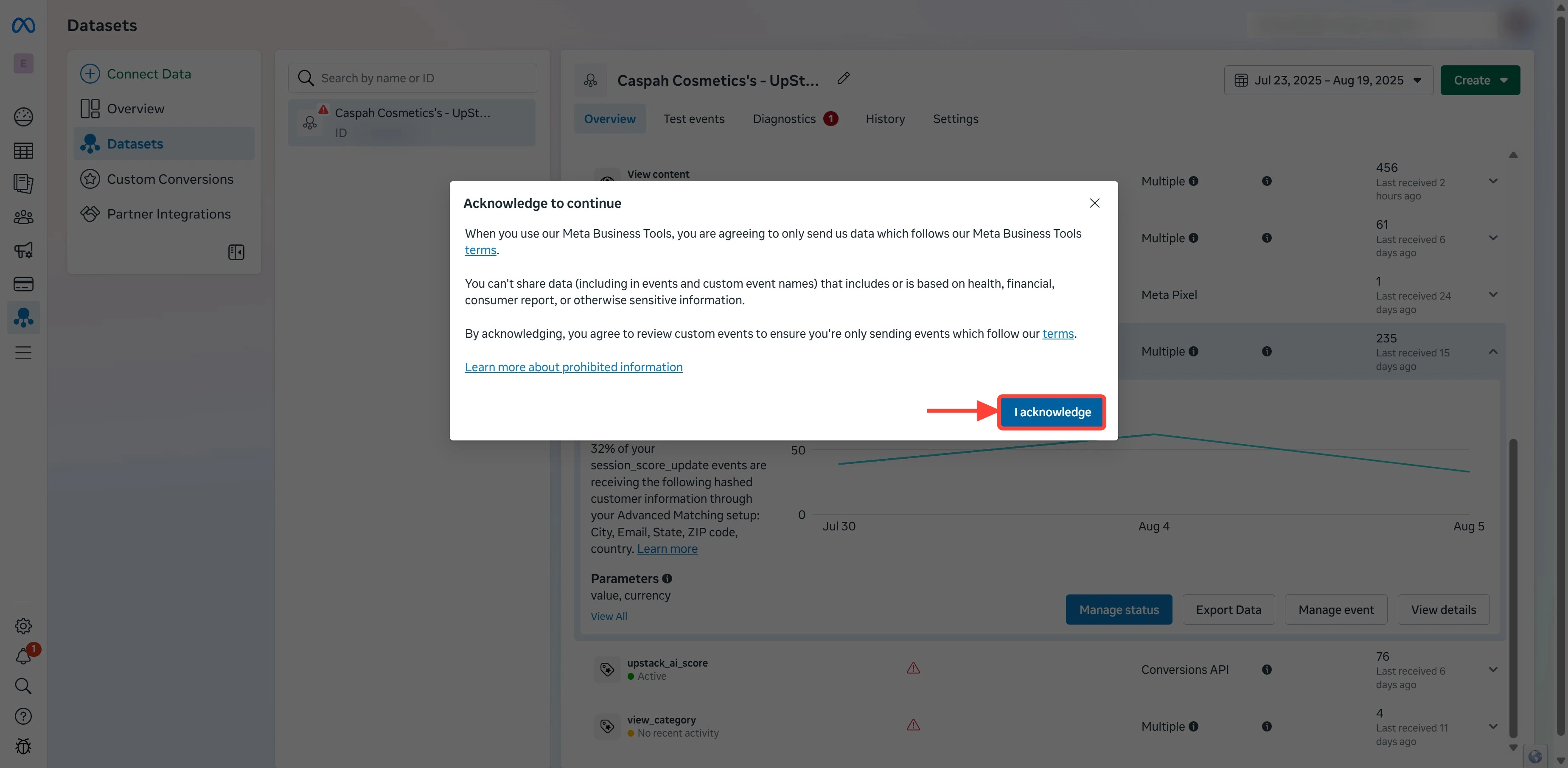
This confirms you understand this is a custom event you’ve intentionally created (in this case, sent by Upstack Data).
4
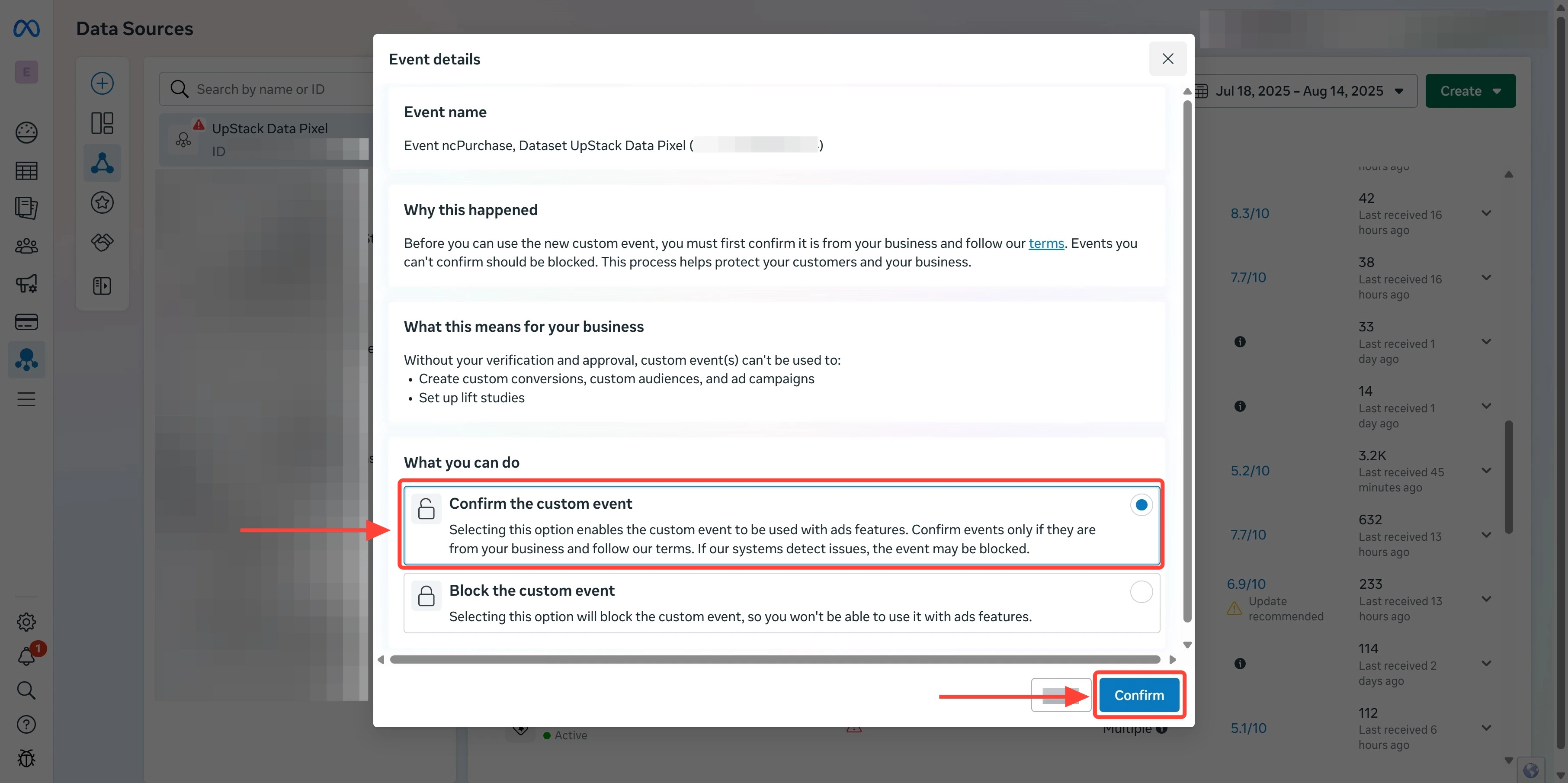
Confirm the custom event
Complete the final approval:
- Click Confirm the custom event
-
Click Confirm to finalize
5
Verify the warning is cleared
Refresh the Overview tab. The ⚠️ red triangle should no longer appear next to the event, and its status should read Active.The event is now approved and available as an optimization or targeting event in Meta Ads Manager.