

What is a Snapchat Conversion API Token?
A Snapchat Conversion API Token is a secure credential generated in Snapchat Business Manager that authorizes platforms like Upstack Data to send conversion events directly to Snapchat’s Conversions API. It is a long alphanumeric string, typically 100+ characters long.
Prerequisites
Before you start, you need:- Admin access to your Snapchat Ads account
- At least one Snapchat Pixel created (how to create one)
- A secure place to store the generated token (Snapchat only displays it once)
Steps to Generate the Conversion API Token
1
Sign in to Snapchat Business Manager
Sign in to Snapchat Business Manager.
2
Open Business Details
In the left-hand menu, click Business Details.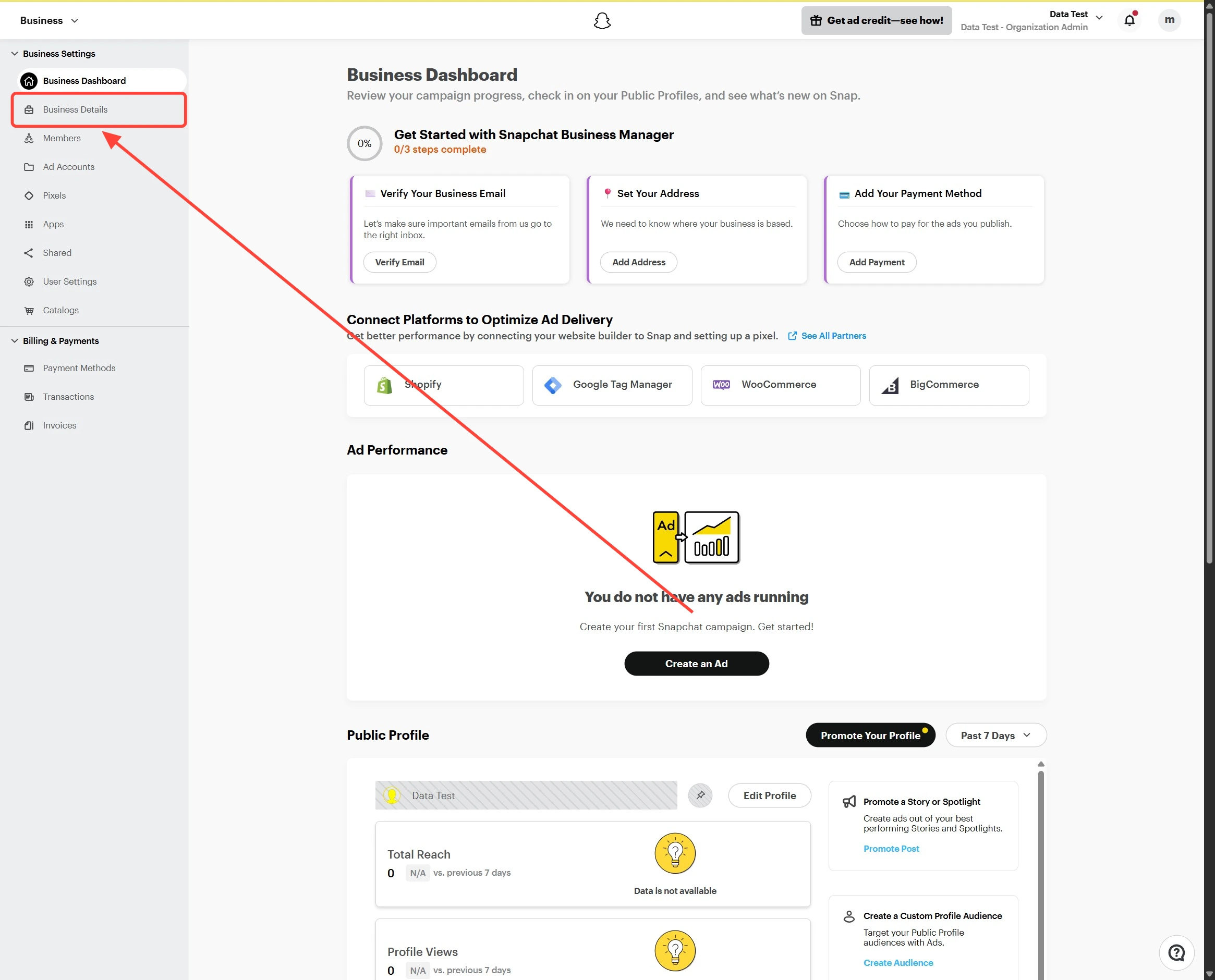
3
Generate the Conversion API Token
On the Business Details page, click Generate Token.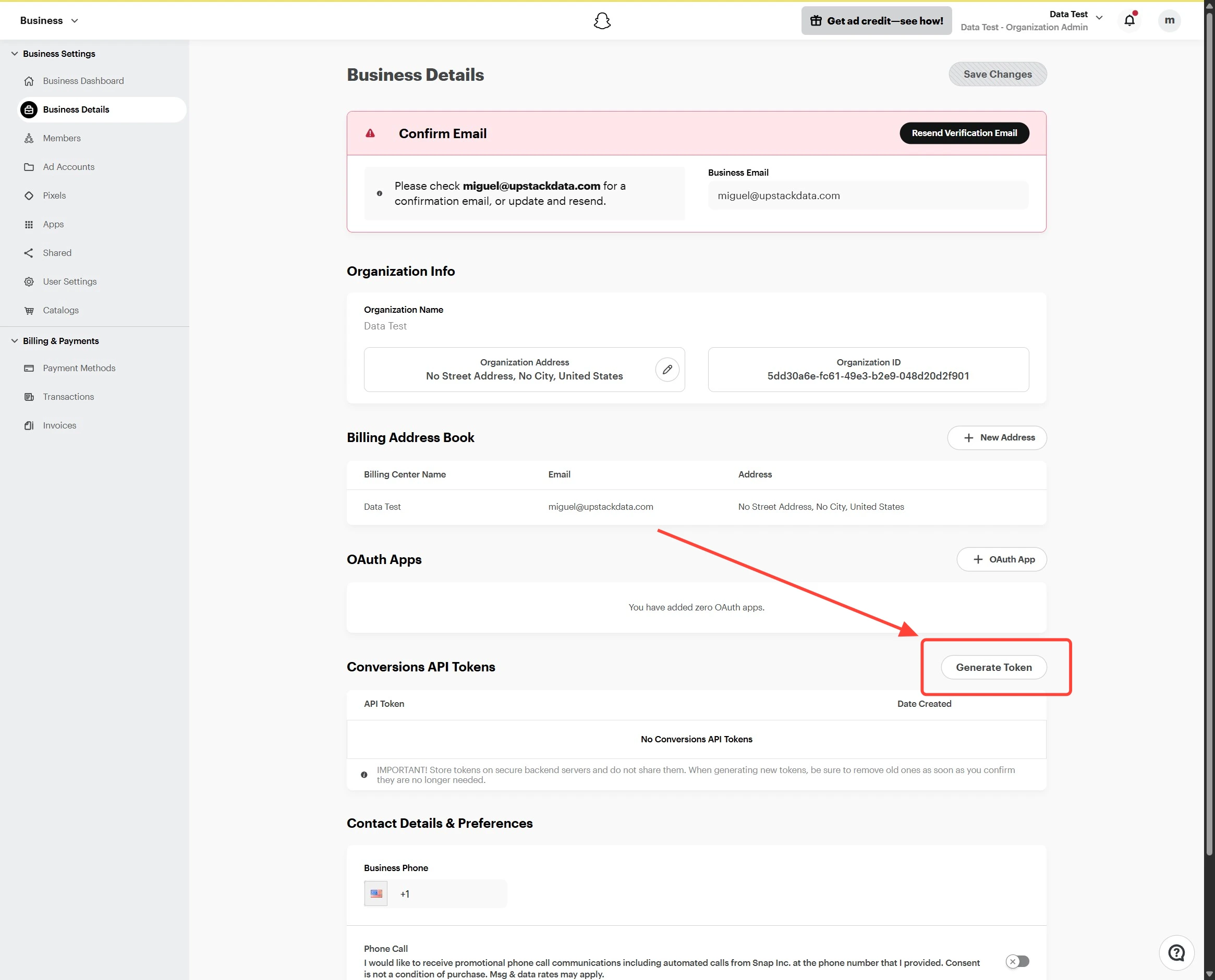
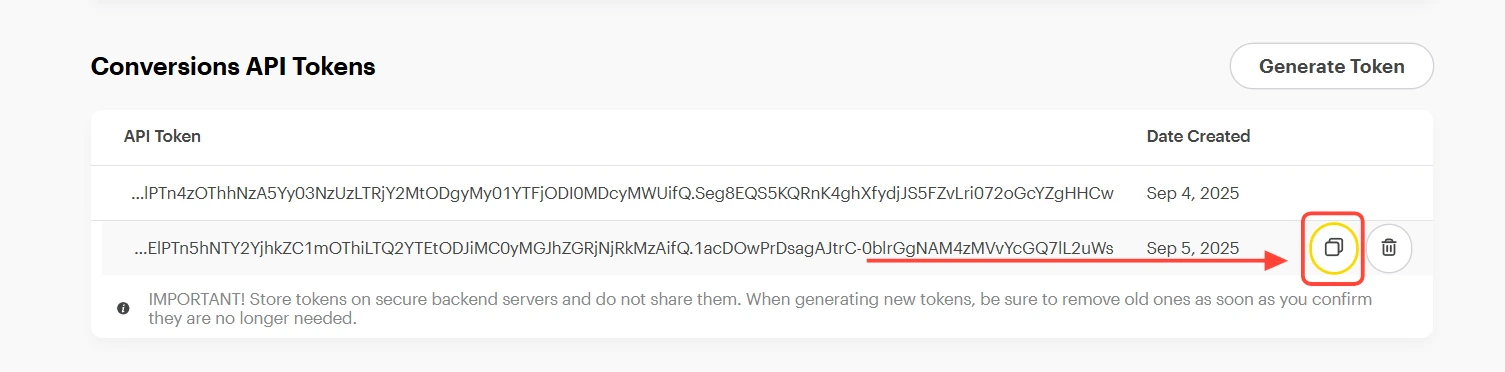
4
Verify the token format
Confirm the value you copied is a long alphanumeric string (typically 100+ characters) with no extra spaces. You can paste it into the Conversion API Token field when configuring the Snapchat destination in your Upstack dashboard.
Need help finding this?How to Get my Snapchat Pixel ID →