

What is a Snapchat Pixel ID?
A Snapchat Pixel ID is a unique identifier assigned to your Snapchat Pixel when you create it in Snapchat Ads Manager. It is a 32-character UUID, for example
00000000-0000-0000-0000-000000000000.- Identify your pixel so Snapchat knows which ad account and campaigns the data belongs to
- Track on-site actions such as page views, purchases, and sign-ups
- Send event data to Snapchat Ads Manager for reporting, audience building, and optimization
- Improve targeting and attribution by connecting user activity on your website with your Snapchat ads
Prerequisites
Before you start, you need:- Admin access to your Snapchat Ads account (Snapchat Ads Manager)
- Permission to create or view pixels in your ad account
Steps to Find Your Snapchat Pixel ID
1
Sign in to Snapchat Ads Manager
Sign in to Snapchat Ads Manager, then open Events Manager → Pixels (or click Pixels in the left-hand menu).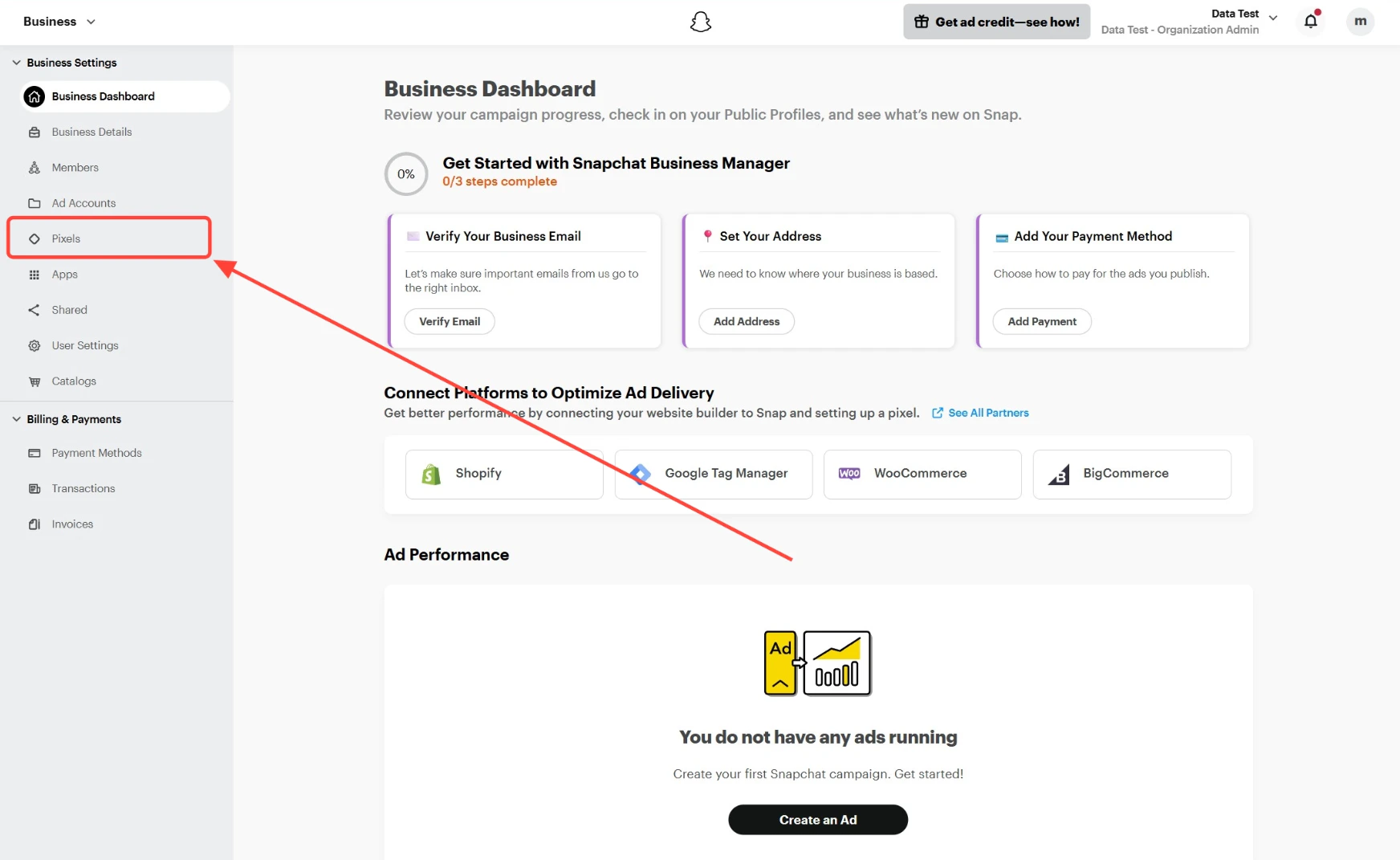
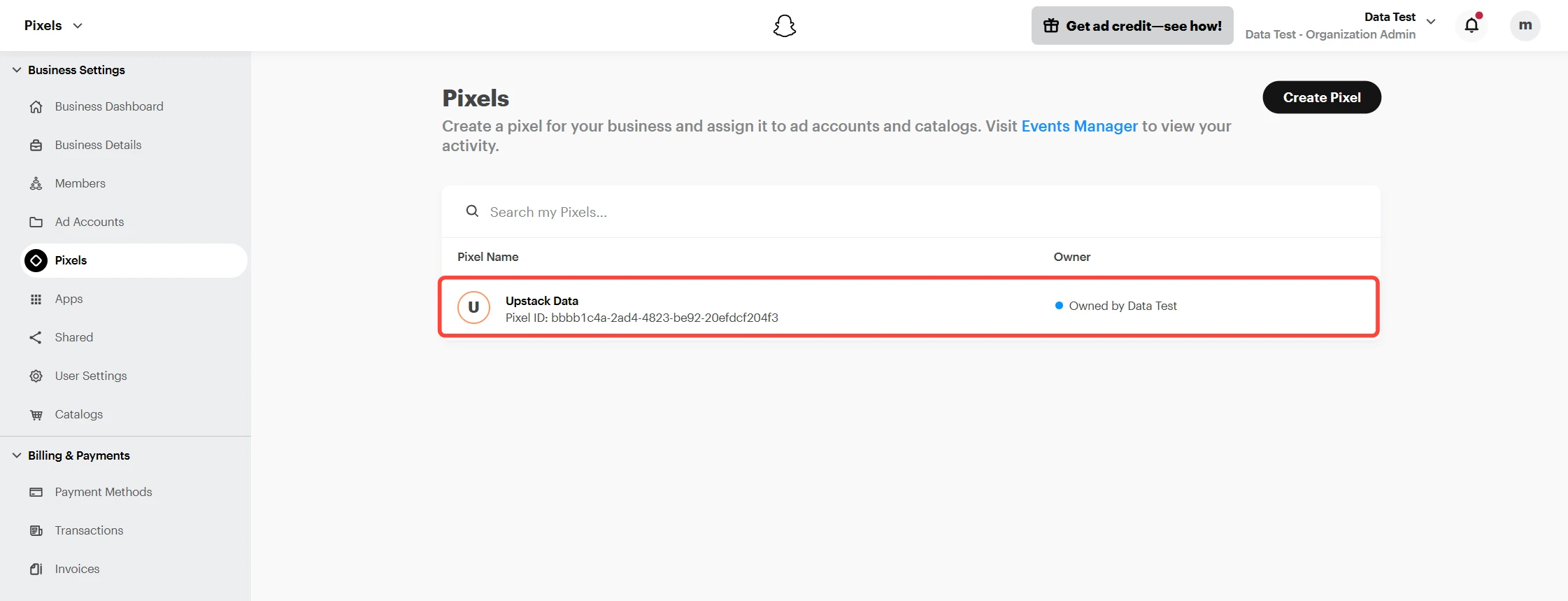
2
Create a new pixel (only if you don't have one)
From the Pixels page in Snapchat Ads Manager, click Create Pixel.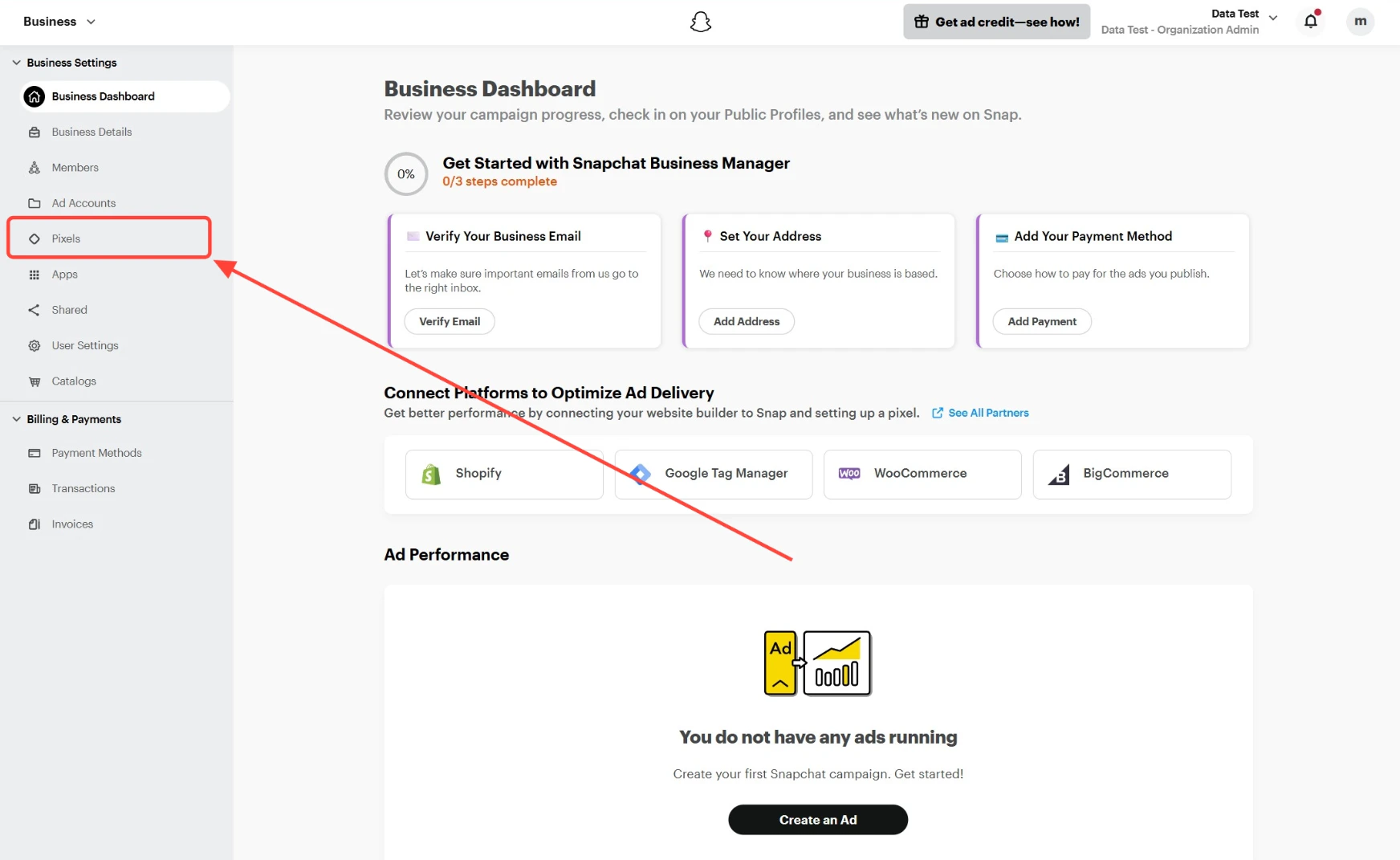
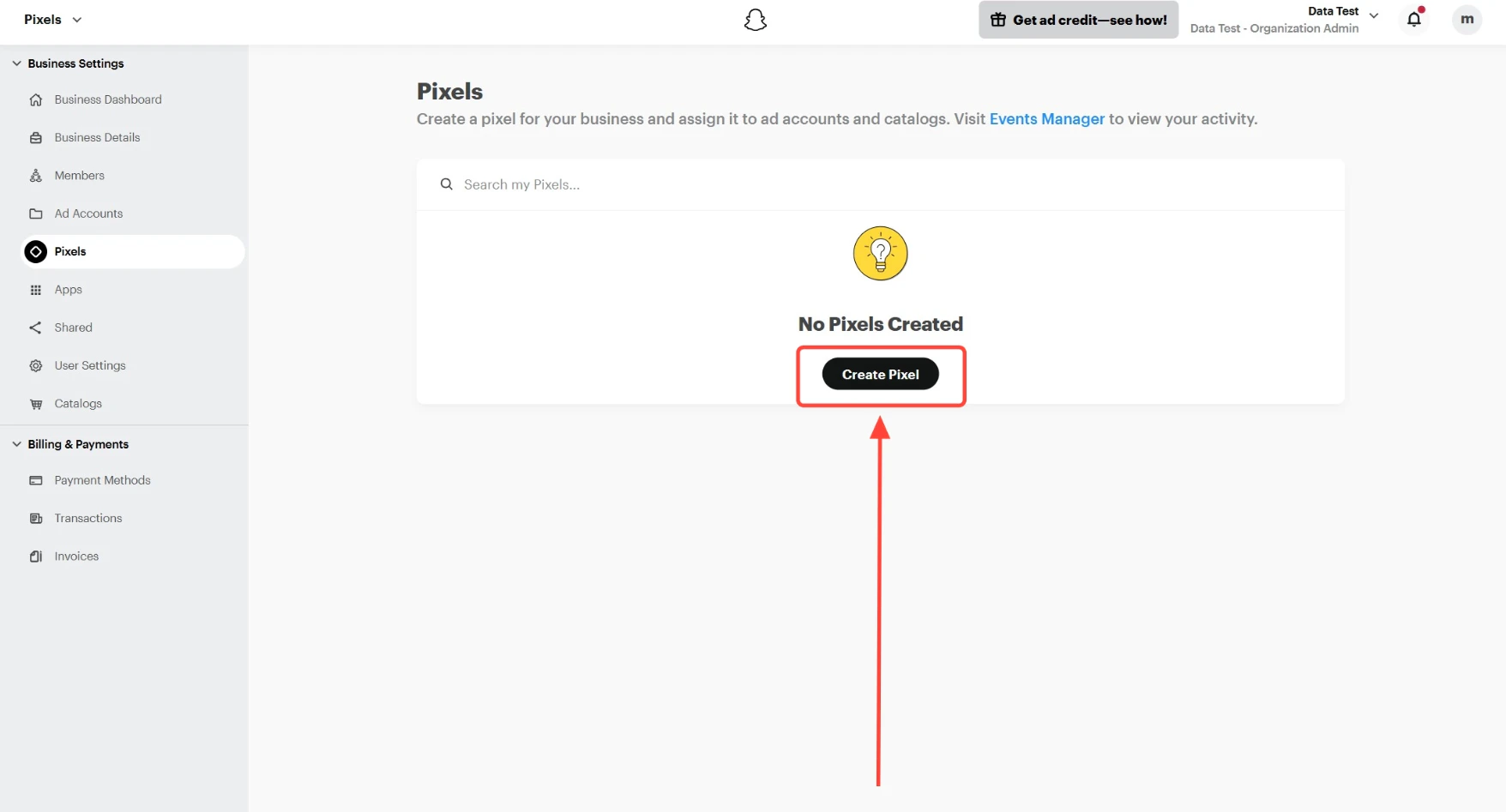
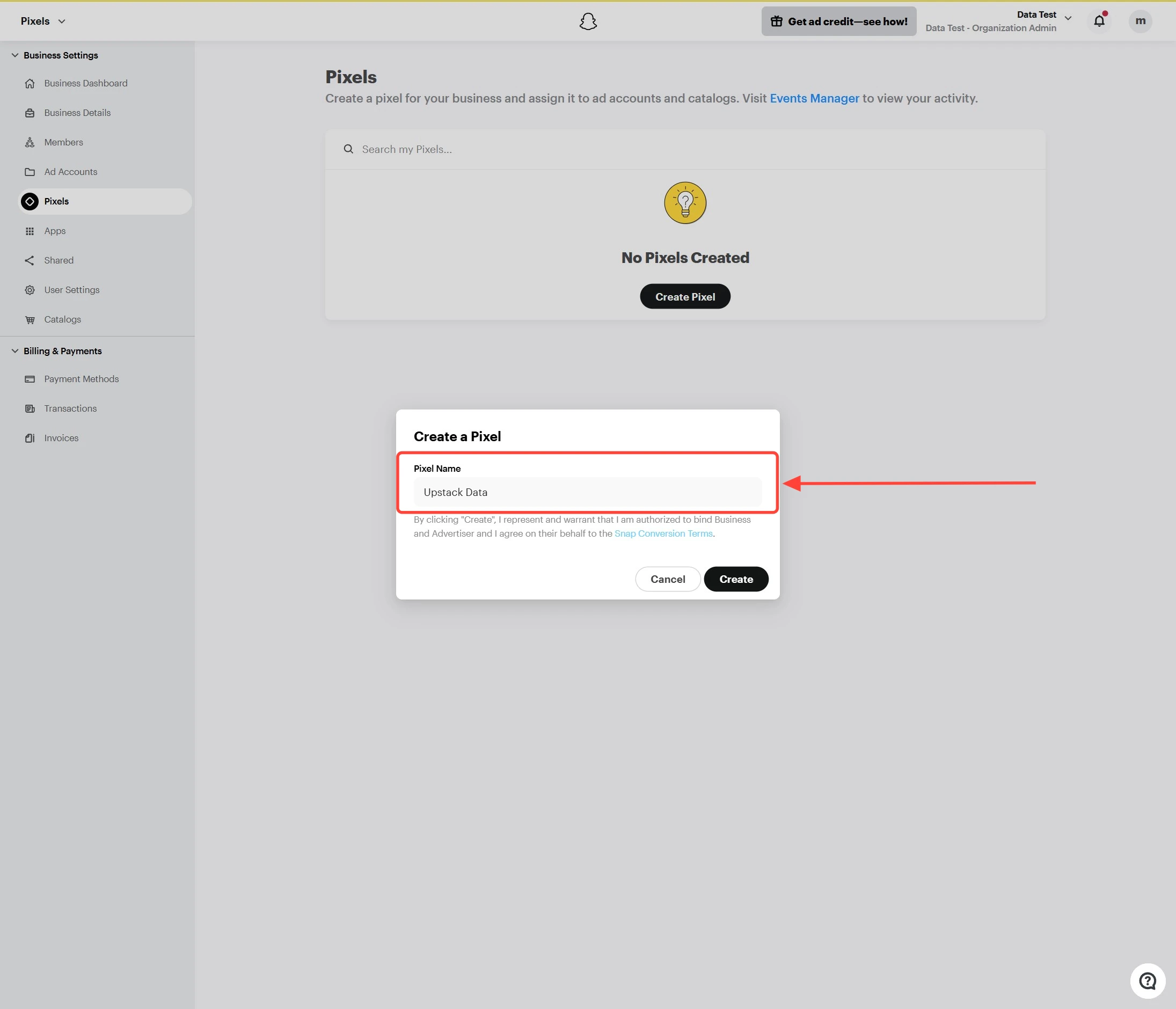
Upstack Data as the pixel name, then click Create.3
Copy your Pixel ID
The Pixel ID is displayed beneath the pixel name as a 32-character UUID, for example 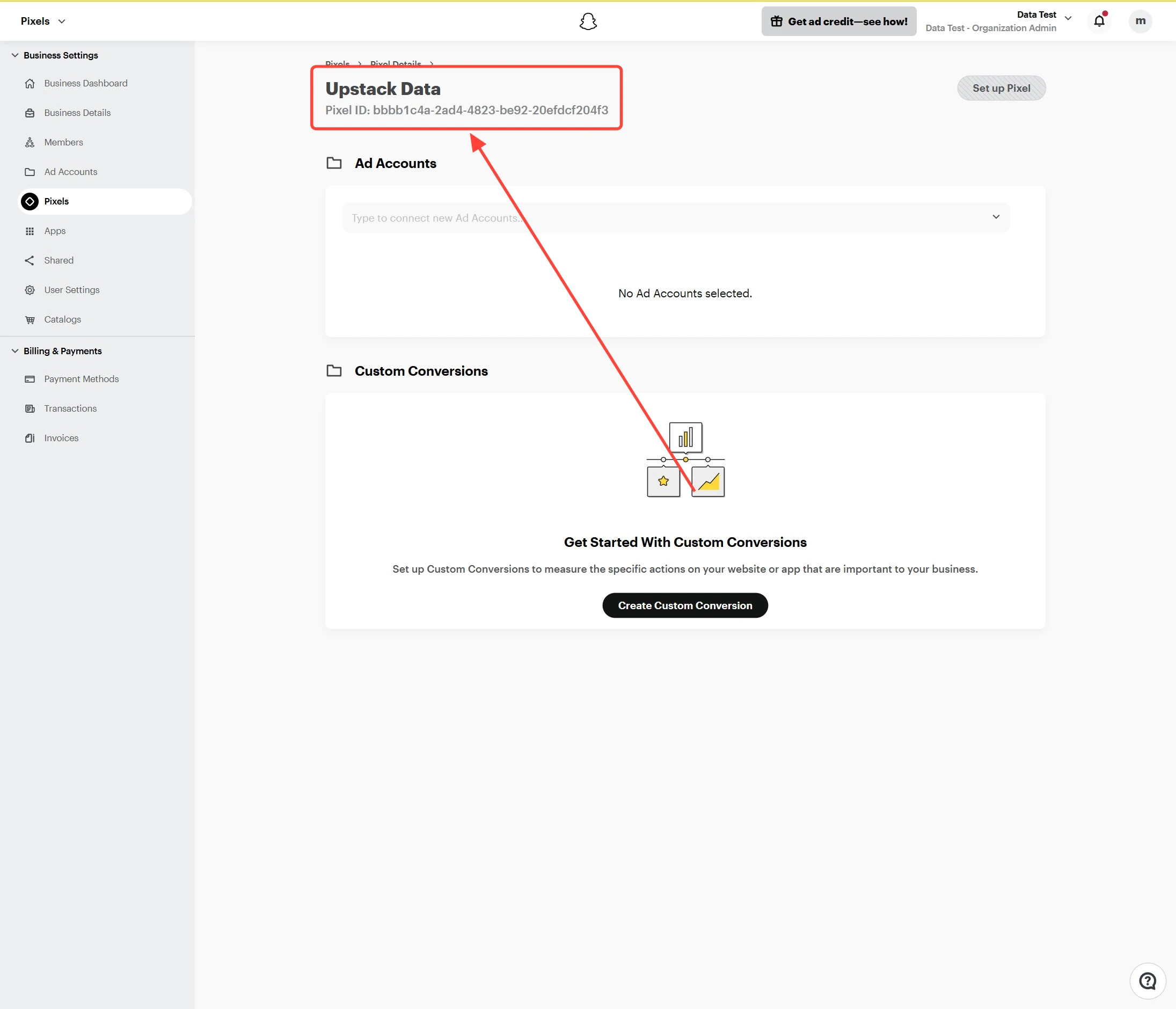
00000000-0000-0000-0000-000000000000.Copy the Pixel ID.4
Verify the Pixel ID
Confirm the value you copied is a 32-character UUID with no extra spaces. You can paste it into the Snapchat Pixel ID field when configuring the Snapchat destination in your Upstack dashboard.
Need help finding this?How to Generate my Snapchat Conversion API Token →