

Prerequisites
Before you start, you need:- Admin access to your Shopify store
- The TikTok sales channel installed in Shopify with an active TikTok Pixel connection
- Your Upstack Data TikTok destination already configured (How to Configure TikTok Ads Pixel Destination in Upstack Data →)
Steps to Disable TikTok Data Sharing in Shopify
1
Sign in to Shopify
Sign in to your Shopify admin.
2
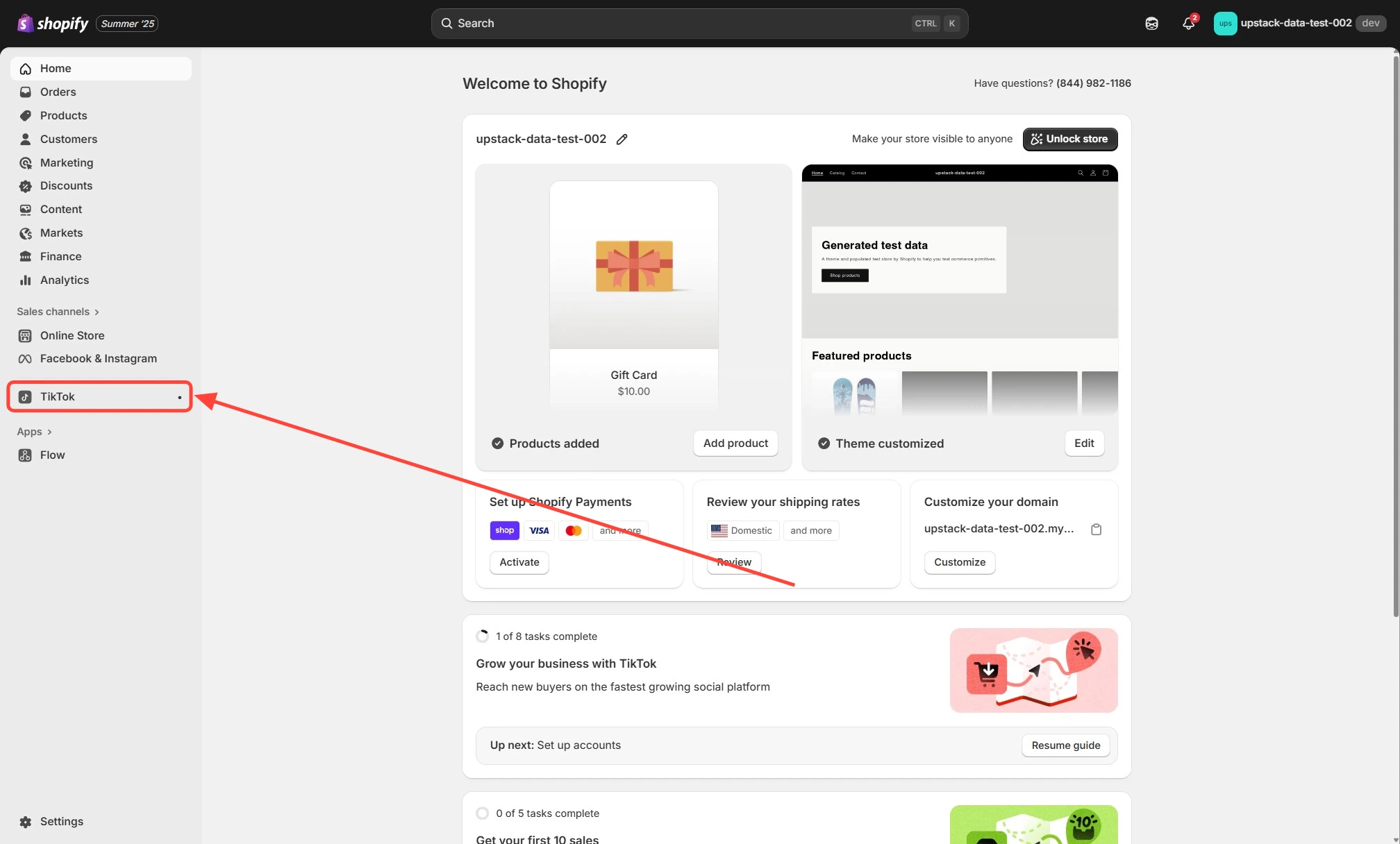
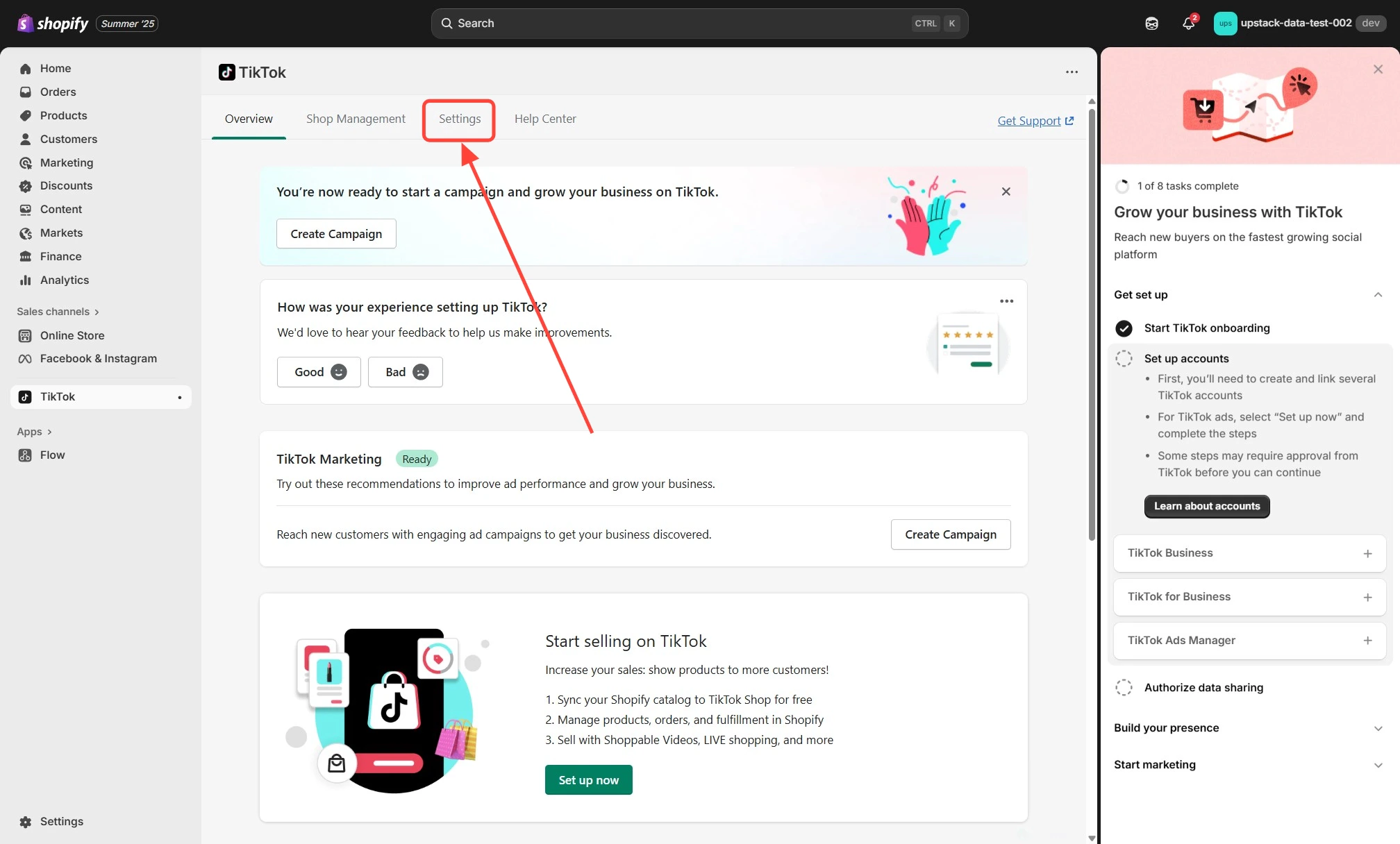
Open the TikTok sales channel settings
- In the Shopify admin sidebar, click Sales channels
- Select TikTok, then click the Settings tab
3
Open Data sharing
In the TikTok sales channel settings, click the Data sharing tab in the left-hand menu.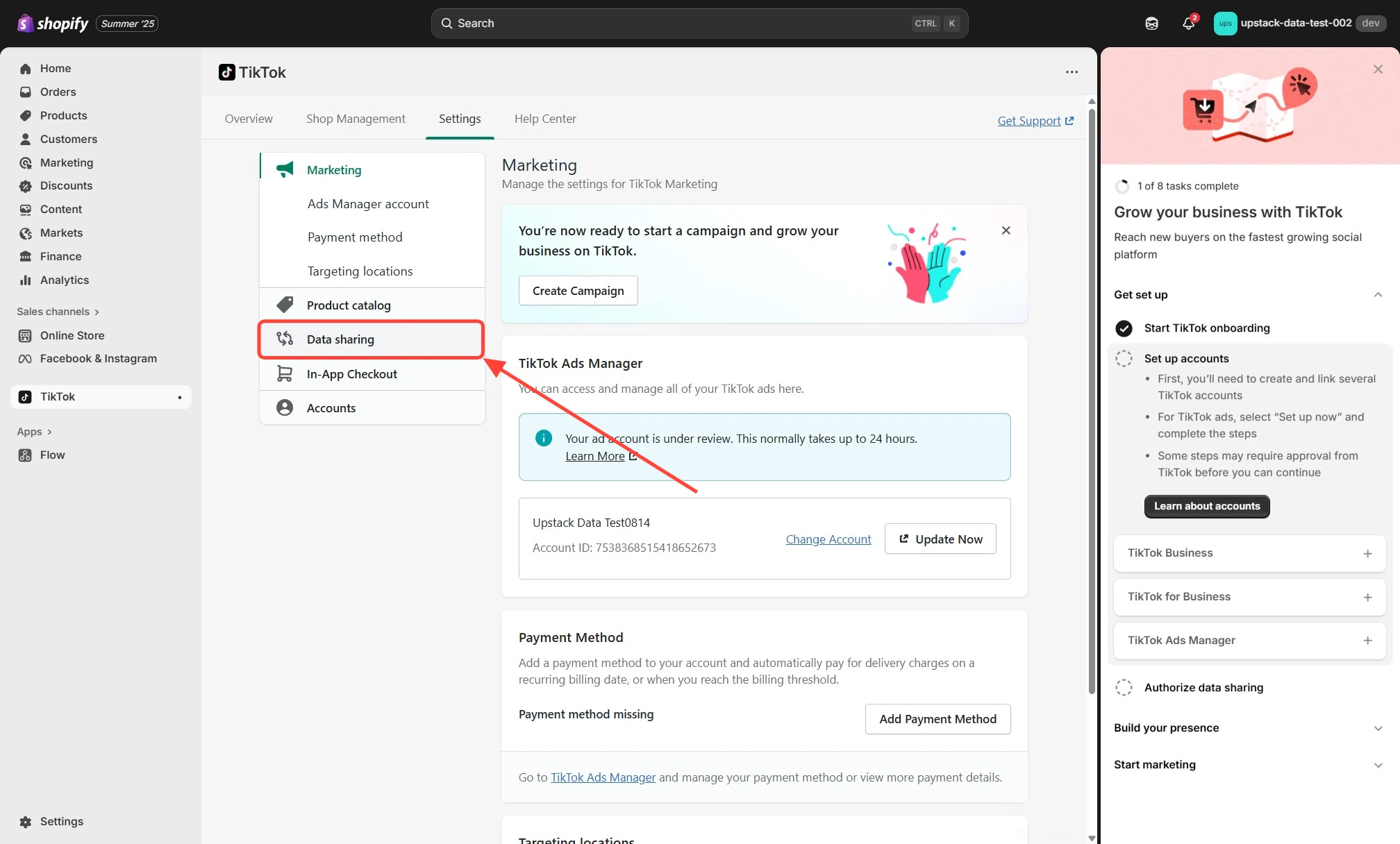
4
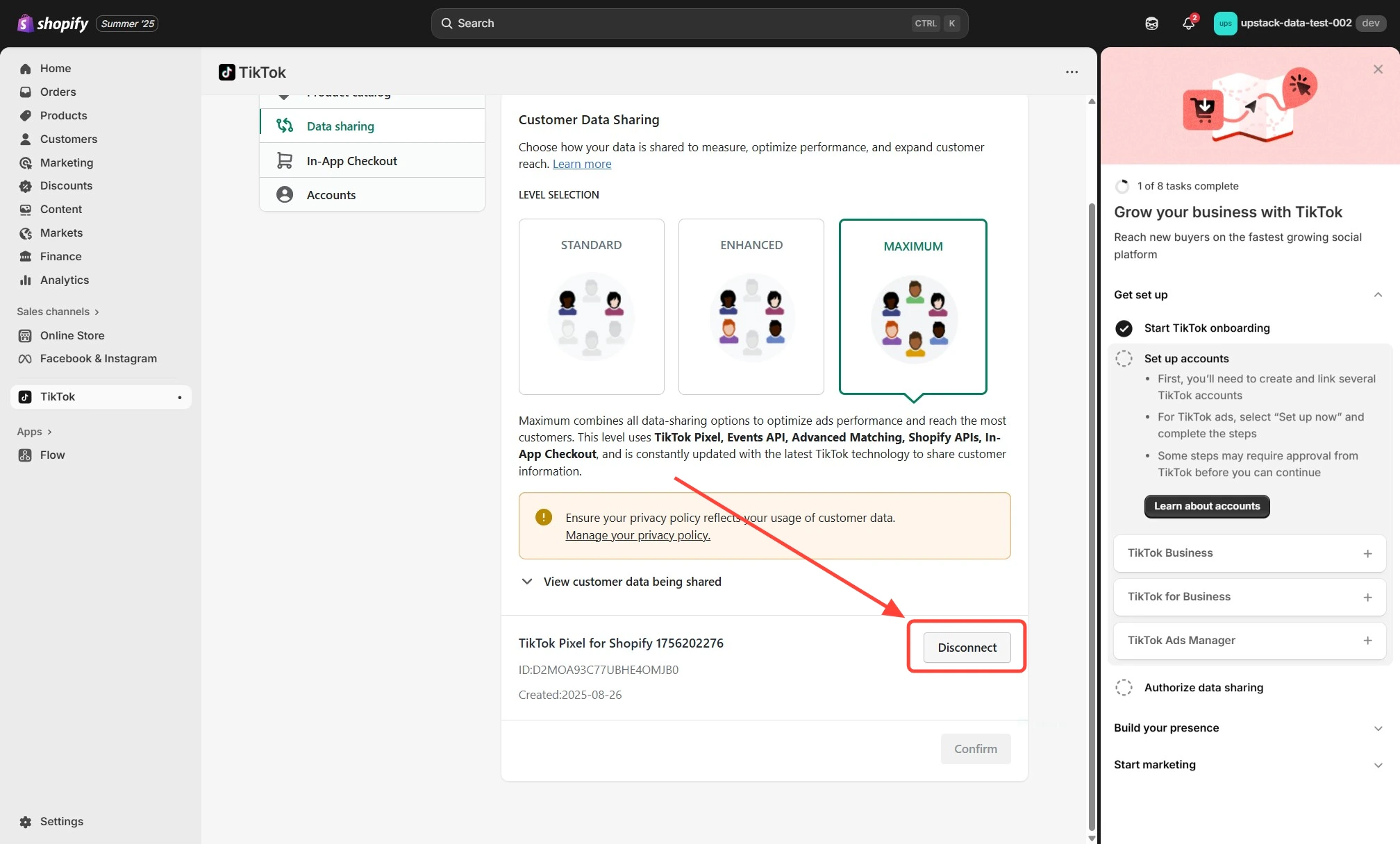
Disconnect the TikTok Pixel
- Scroll to the Customer Data Sharing section and locate your connected TikTok Pixel
-
Click the Disconnect button
5
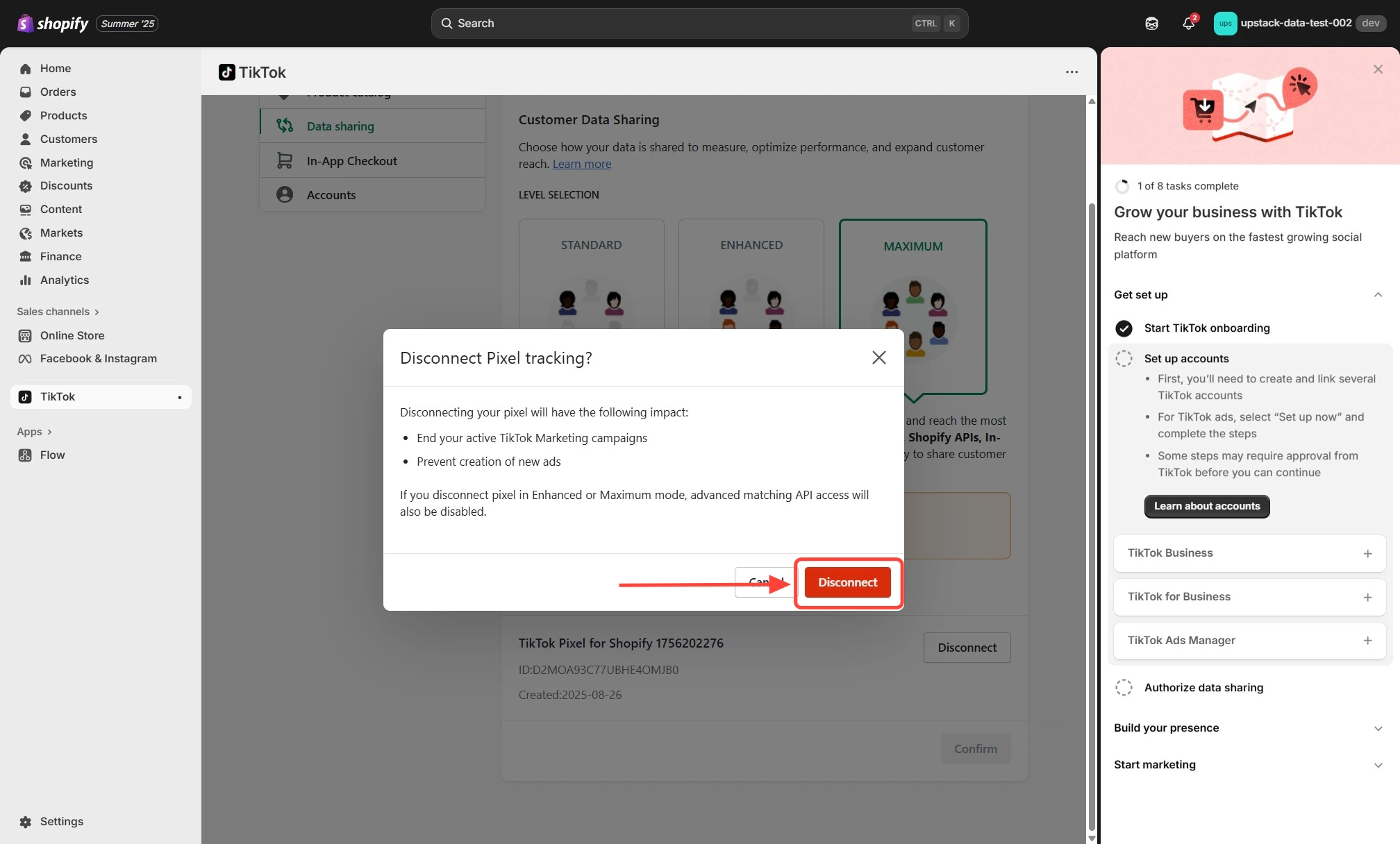
Confirm the disconnection
- A confirmation window appears explaining how disconnecting the Pixel affects tracking
-
Click Disconnect again in the lower-right corner to confirm
Verify the Setup
To confirm data sharing is disabled:- Return to Sales channels → TikTok → Settings → Data sharing in Shopify and confirm the Customer Data Sharing section no longer shows a connected Pixel.
- Place a test order on your store and check TikTok Events Manager — you should see exactly one Purchase event arriving from your Upstack Data integration (not duplicates).
- Check the Shopify Apps menu for any other TikTok Pixel apps and remove them.
- Inspect your theme for hard-coded TikTok Pixel snippets and remove them.
Need help? If you encounter any issues, contact our support team and we’ll help diagnose the problem.