

Prerequisites
Before you start, you need:- Admin access to your TikTok Business Center
- A TikTok Pixel already created (see How to Create New TikTok Ads Pixel ID →)
- Permission to manage Events API settings on the Pixel
What is a TikTok Access Token?
A TikTok Access Token is a secure credential that lets platforms like Upstack Data connect to your TikTok Ads account to sync performance data, enable server-side tracking via the Conversions API (CAPI), and improve attribution and optimization.
Configuration Steps
1
Sign in to TikTok Events Manager
- Sign in to TikTok Events Manager
- In the top navigation, click Tools → Events, then open Data sources
-
Click your UpstackData Pixel to open its overview page
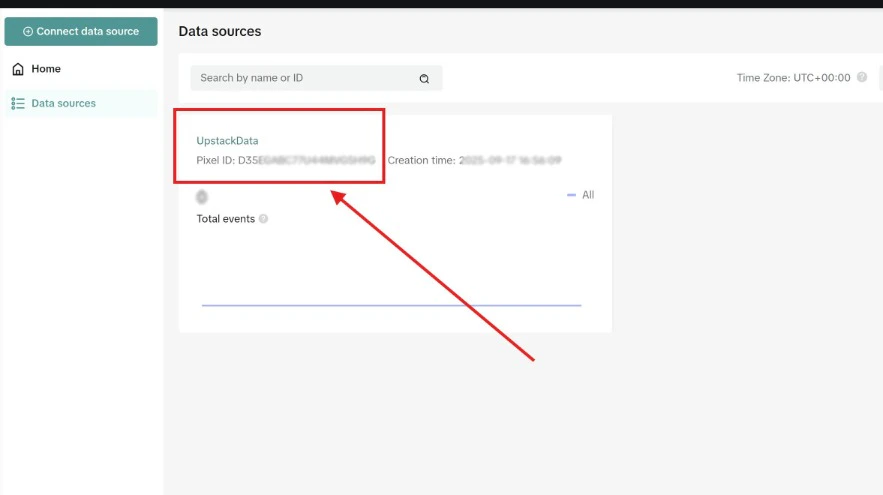
Note: If you haven’t created a Pixel yet, see How to Create New TikTok Ads Pixel ID → first.
2
Open the Settings tab
On the Pixel overview page, click the Settings tab.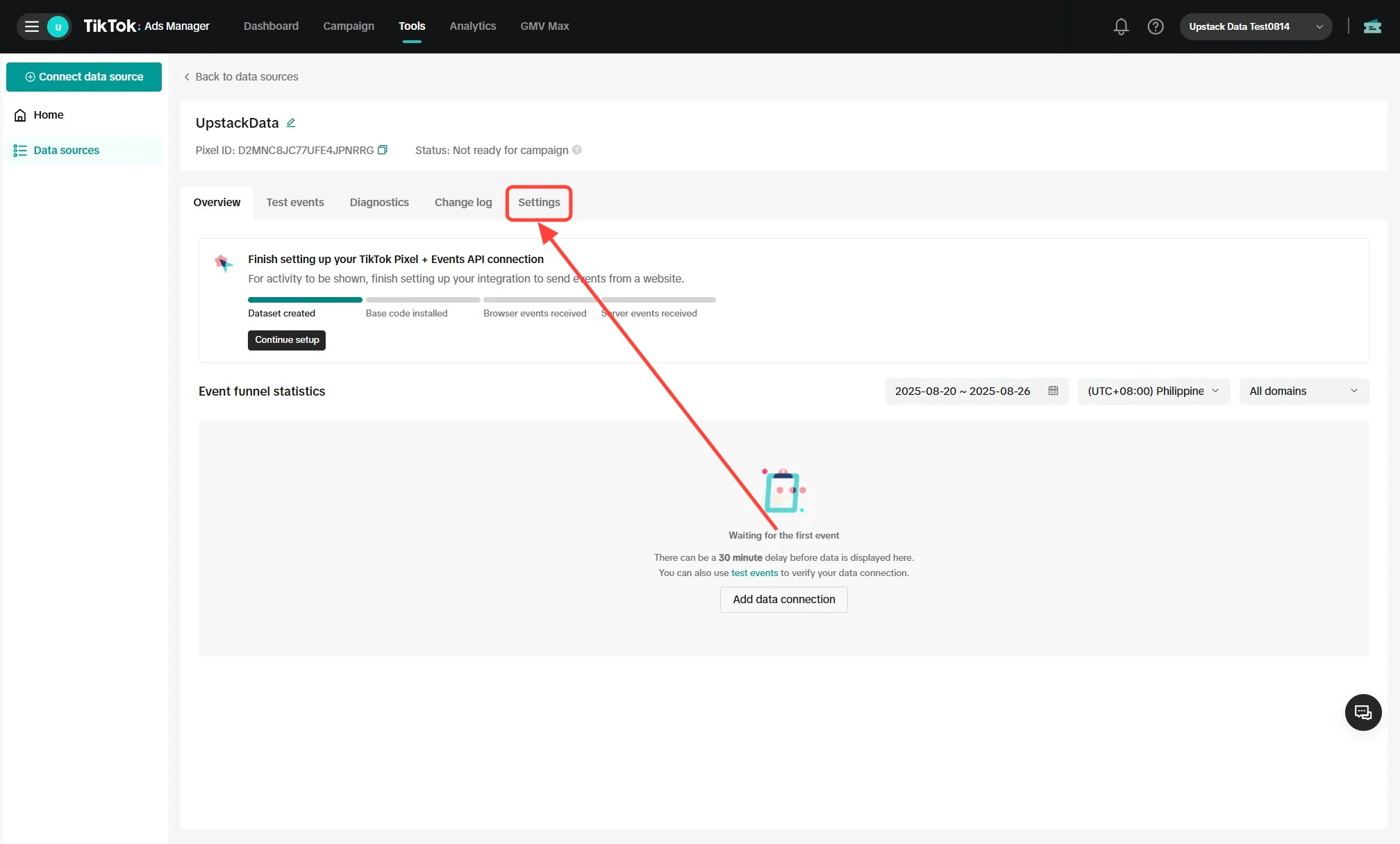
3
Generate the Access Token
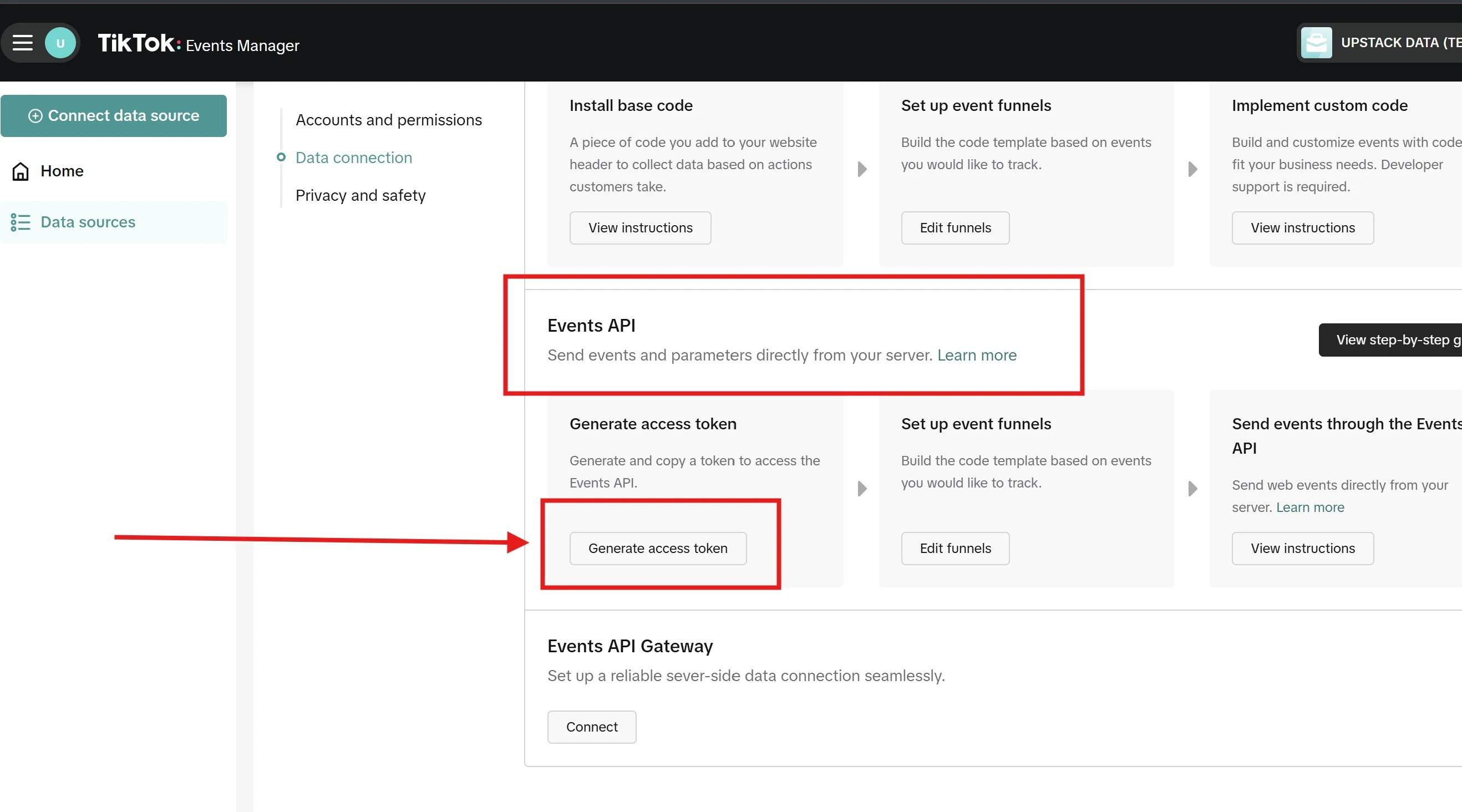
On the Settings tab:
- Scroll down to the Events API section
-
Click the “Generate access token” button
4
Copy your Access Token
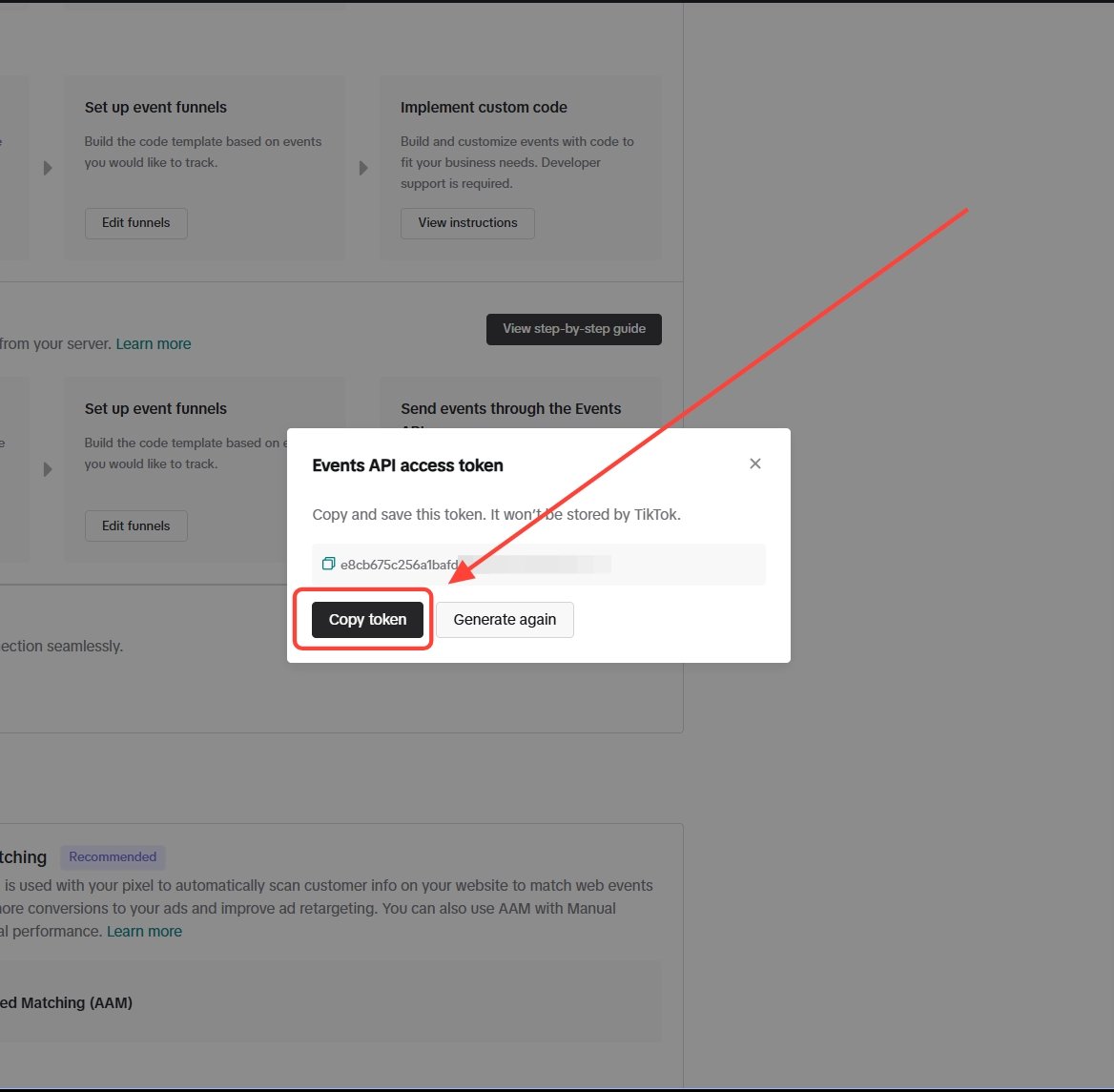
- Click the copy icon next to the generated Access Token — it is a long alphanumeric string starting with letters/numbers
-
Paste it into the Access Token field in the Upstack dashboard at app.upstackdata.com/pixel/event-destinations
Verify the Setup
To confirm the Access Token works:- In the Upstack dashboard, after saving your TikTok destination it should show as Healthy under Events Destination.
- In TikTok Events Manager, return to the Pixel Settings → Events API section — the token should be listed as active.
- Re-check that the Access Token was pasted with no leading or trailing spaces.
- Confirm the Pixel ID matches the Pixel that owns the token.
- Generate a new token if needed and update it in the Upstack dashboard.
Need to find your Pixel ID? See How to Find your TikTok Ads Pixel ID →.