

What is a Pinterest Conversion API key (access token)?
A Pinterest Conversion API key (access token) is a secure credential that lets your server send conversion events, like purchases or sign-ups, directly to Pinterest. It improves tracking accuracy, attribution, and data security compared to the standard Pixel. The token starts with
pina_ and is roughly 90+ characters long (for example, pina_AAAAAAAAAAAAAAAAAAAAAAAAAAAAAAAAAAAAAAAAAAAAAAAAAAAAAAAAAAAAAAAAAAAAAAAAAAAAAAAAAAAAAAAAAAAAAAAA).Prerequisites
Before you start, you need:- Admin access to your Pinterest Business account
- At least one Pinterest ad account associated with your business
- A secure place to store the generated token (Pinterest only displays it once)
Steps to Generate the Conversion API Key
1
Sign in to Pinterest Business
Sign in to Pinterest Business.
2
Open the Conversions API setup
In the top-left of the page, click the Menu icon (three horizontal lines).Under Manage business, select Conversions.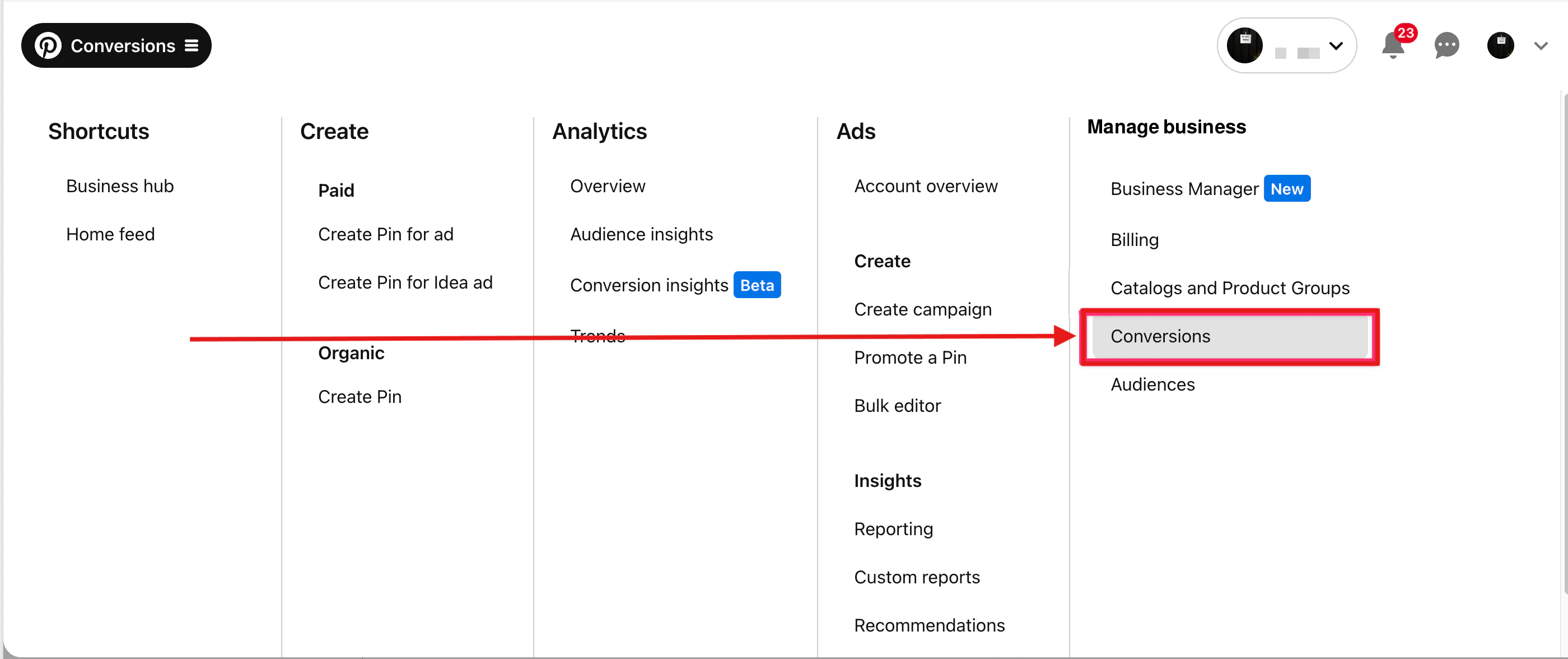
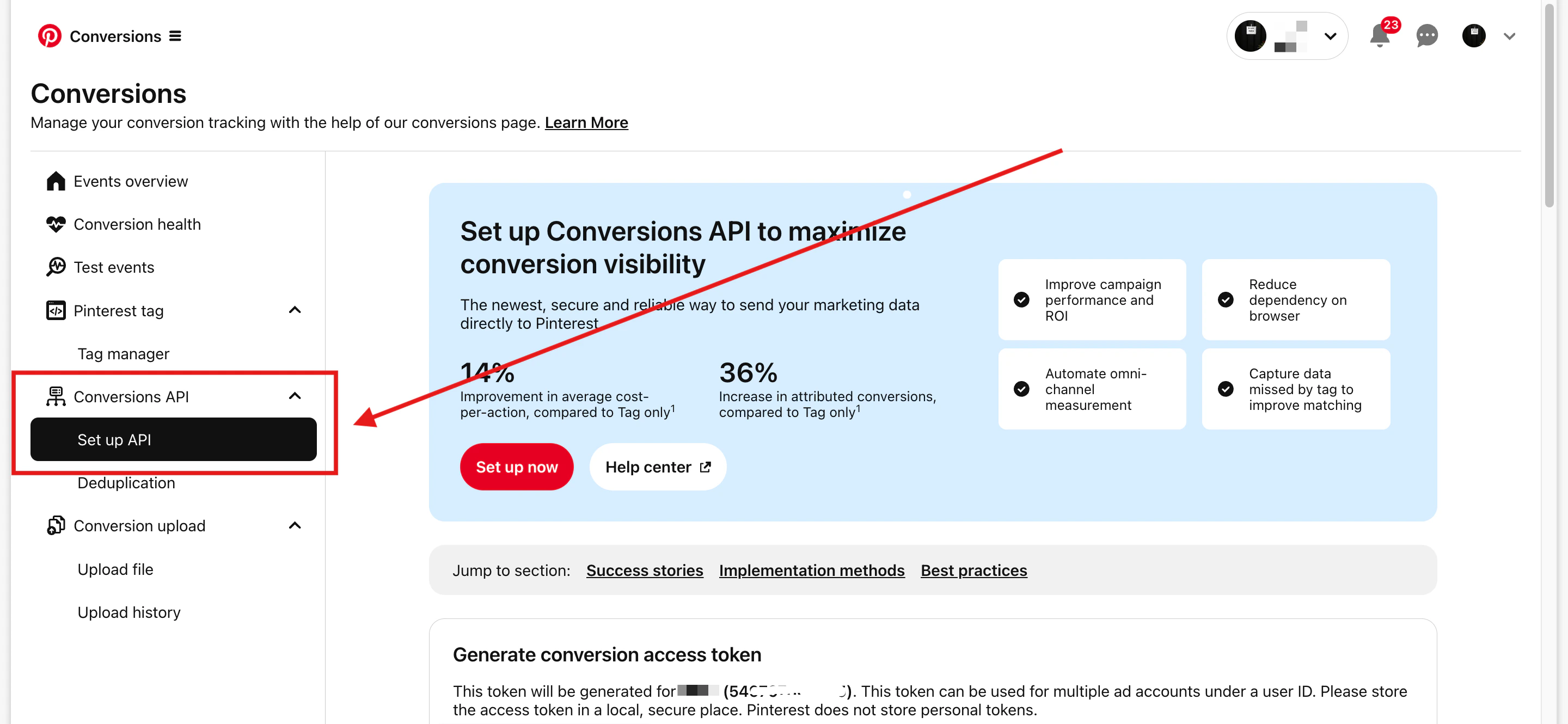
3
Generate the conversion access token
Scroll to the Generate conversion access token section, then click Generate new token.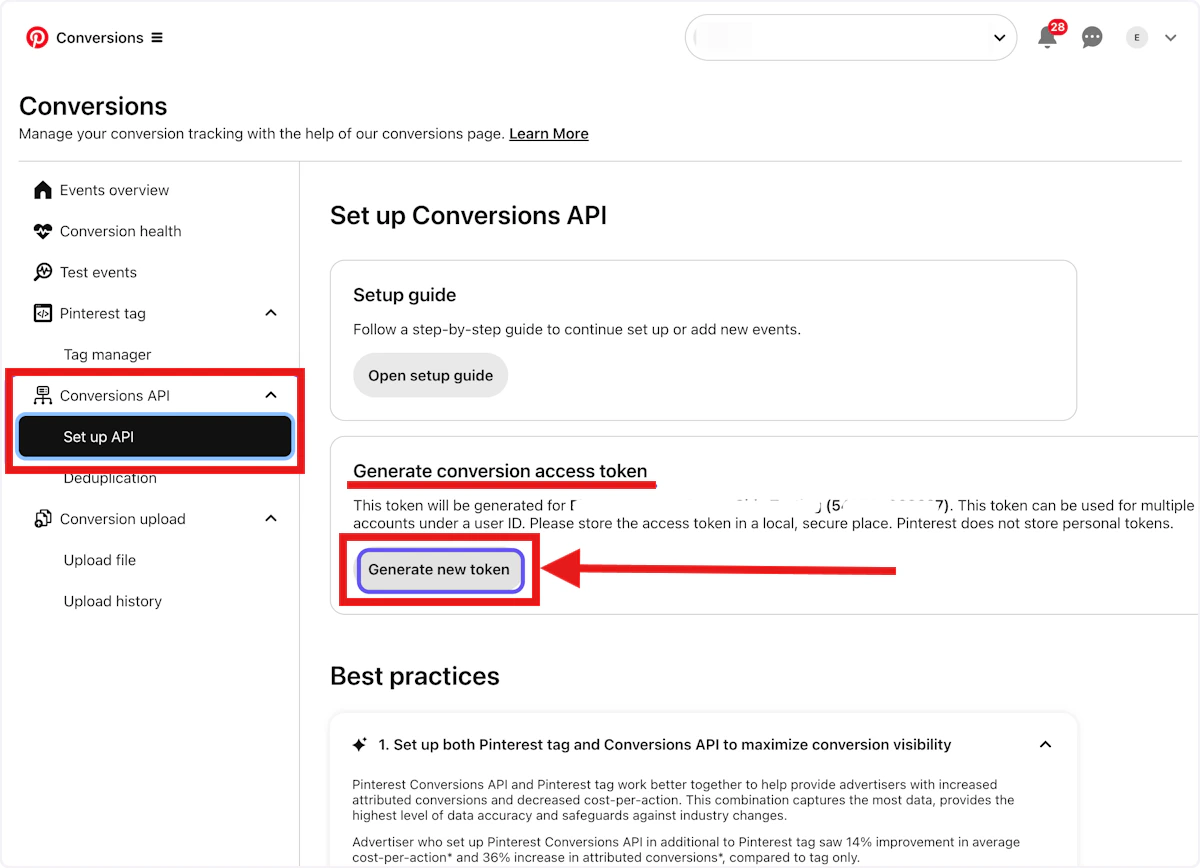
4
Copy and save your Conversion API key
The generated token is your Pinterest Conversion API key. It starts with 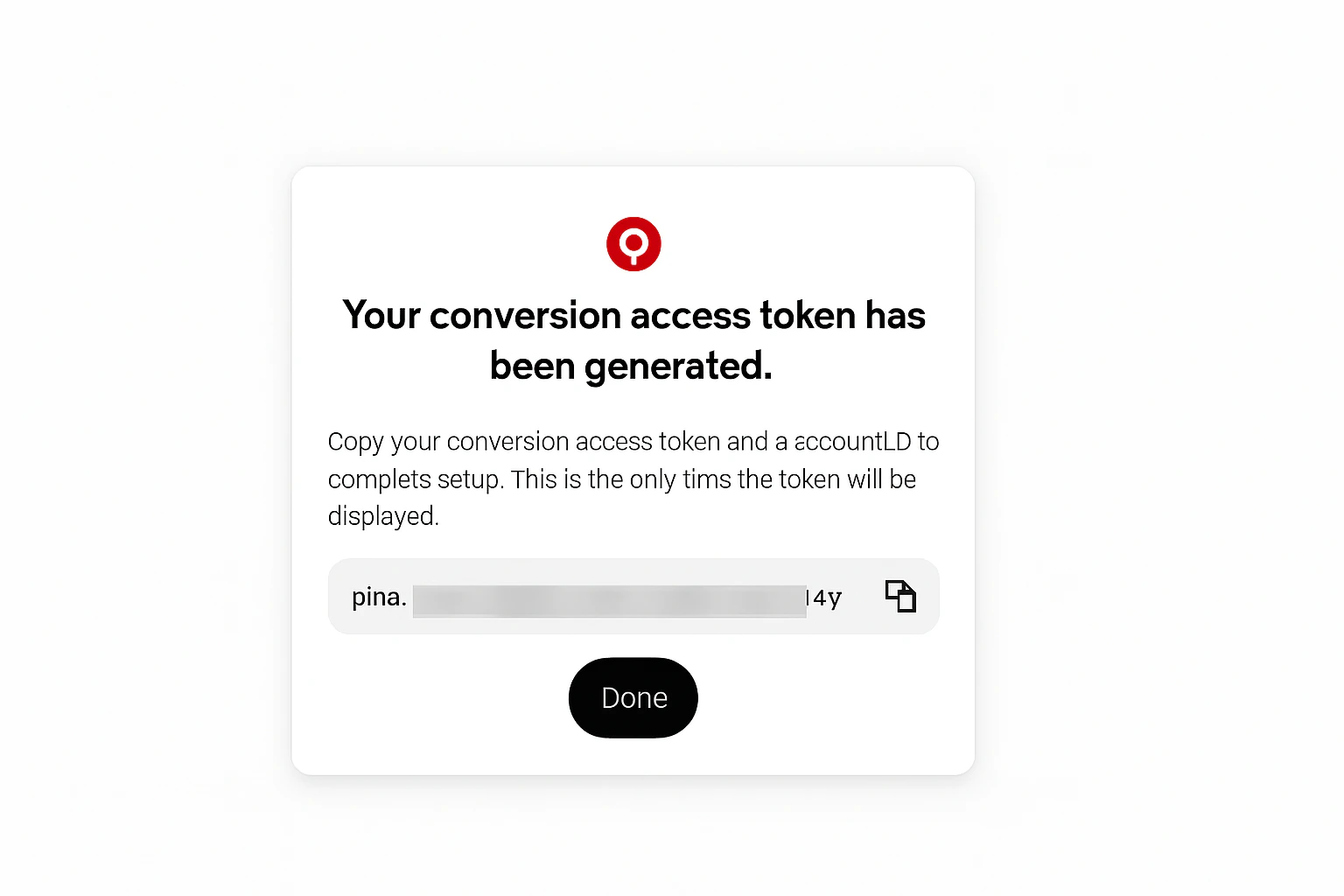
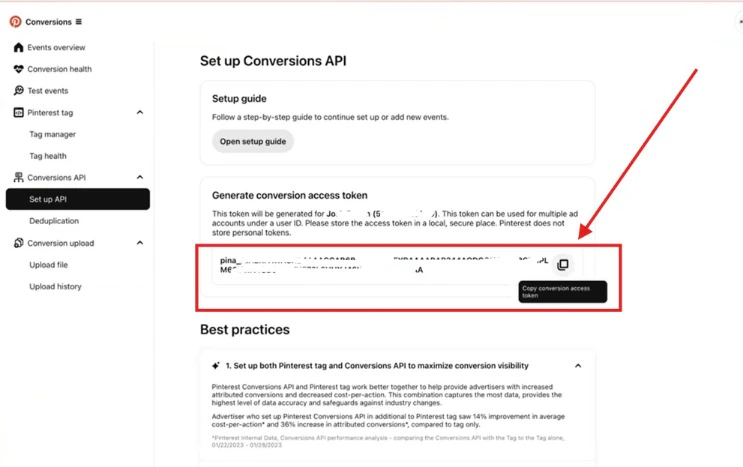
pina_.Copy the generated token and store it securely. You will paste this token into the Pinterest destination form in your Upstack dashboard.The generated token starts with pina_5
Verify the token format
Confirm the value you copied starts with
pina_ and contains no extra spaces. You can paste it into the Conversion API key field when configuring the Pinterest destination in your Upstack dashboard.