

What is the New Customer (NC) Purchase event?The NC Purchase (
ncPurchase) event is a custom event sent by Upstack Data that fires when a first-time customer makes a purchase. The event must be verified in Meta Events Manager before you can create custom conversions or track new-customer metrics in Meta Ads Manager.Prerequisites
Before you start, you need:- The Meta destination configured in Upstack Data — see How to configure the Meta Pixel destination
- At least one real new-customer purchase already processed so the ncPurchase event is visible in Meta Events Manager
- Access to the same Meta Business Manager that owns the pixel
Steps to verify the ncPurchase event
1
Sign in to Meta Events Manager
Sign in to Meta Events Manager at business.facebook.com/events_manager and open the pixel that Upstack Data is sending events to.
2
Locate the ncPurchase event
On the pixel Overview tab, scroll the events list until you see ncPurchase. If you don’t see it, wait a few hours after your first new-customer purchase or contact support.
3
Open the review flow
Use either of the following:
-
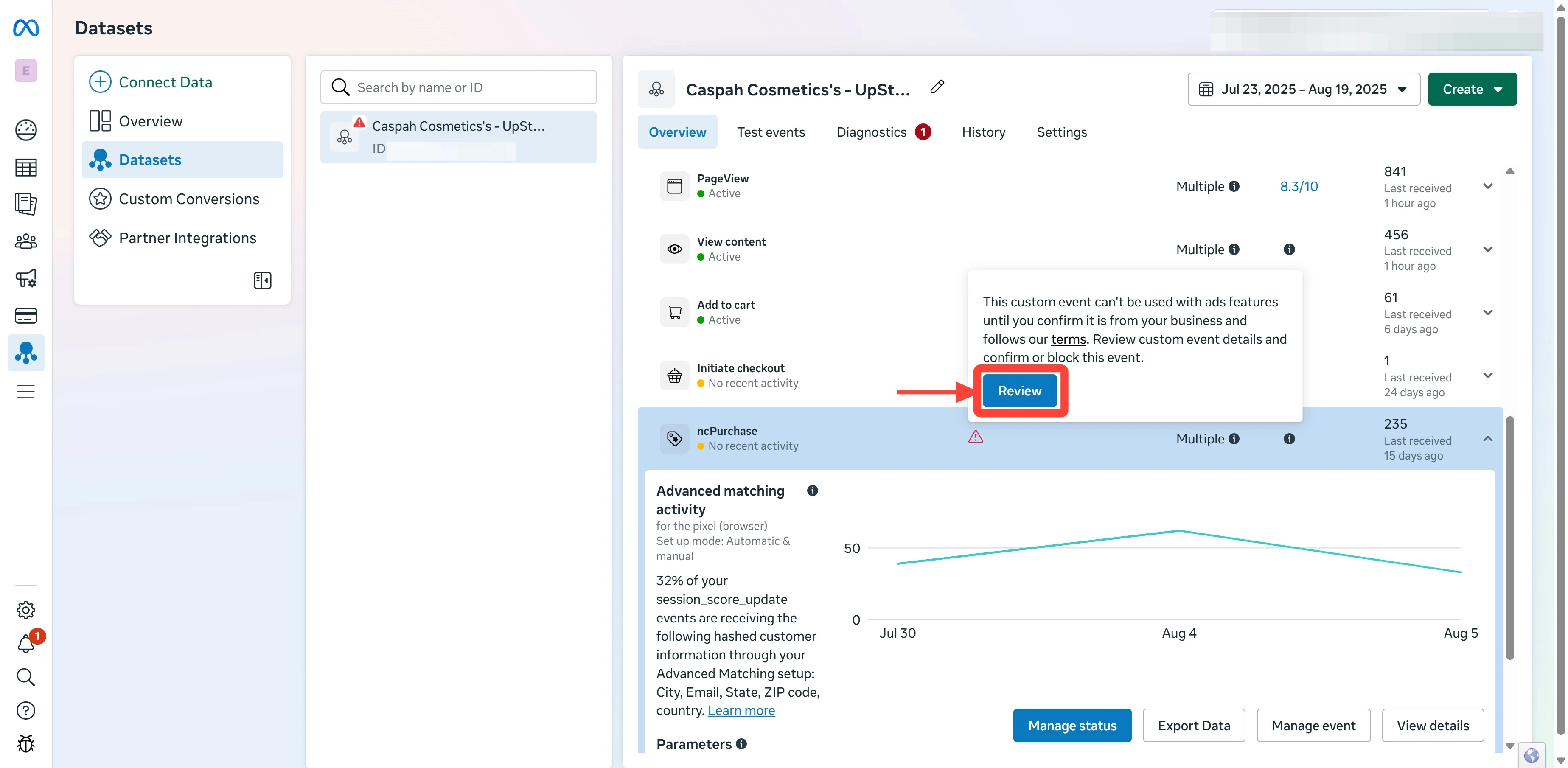
Option A: Hover over the ncPurchase row to reveal the Review button, then click Review.
-
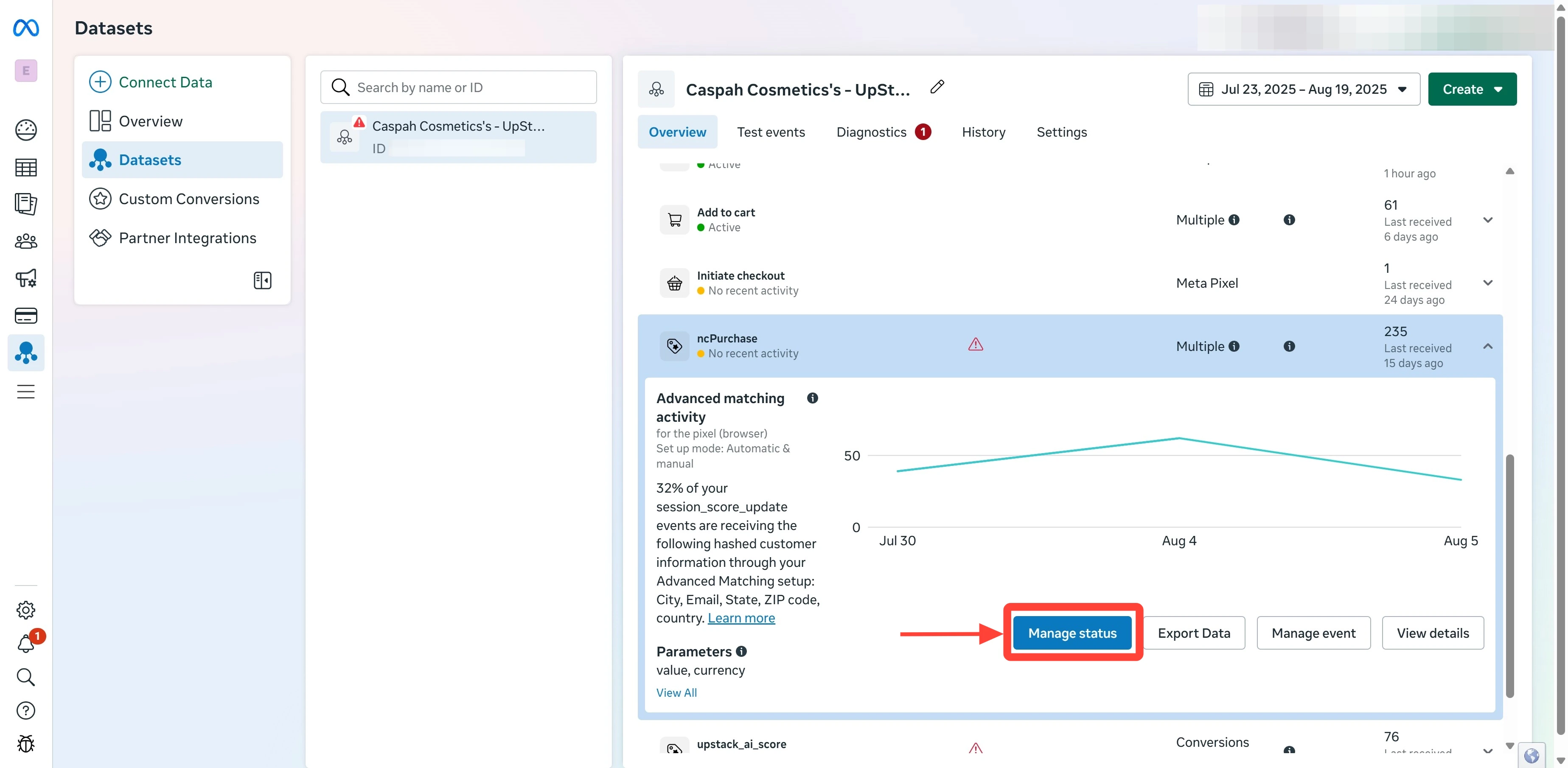
Option B: Click Manage status in the top-right of the events list, then click Review next to ncPurchase.
4
Acknowledge and confirm
In the review dialog, click I acknowledge, then click Confirm the custom event and Confirm to finalize. See How to approve Meta custom events for the full approval flow with screenshots.
5
Verify the event is approved
Refresh the Overview tab. The red triangle warning next to ncPurchase should be gone, and the event status should read Active (or no warning icon).Once verified, you can use ncPurchase when creating custom conversions in Meta.